What is HappySRT?
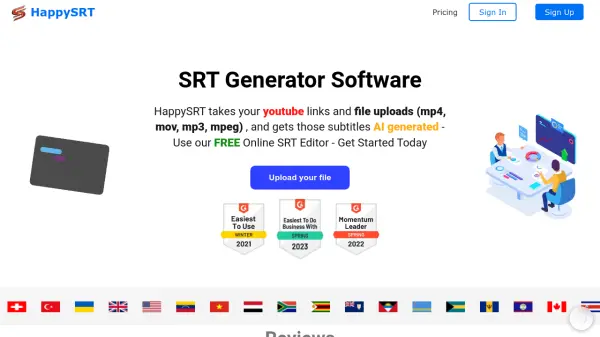
HappySRT revolutionizes the subtitle creation process by offering advanced AI-powered transcription services for YouTube videos and various media formats including MP4, MOV, MP3, and MPEG files. The platform features a user-friendly online SRT editor and seamless YouTube integration, enabling content creators to generate accurate subtitles efficiently.
The service caters to creators of all sizes, from individual YouTubers to large businesses, providing flexible plans with varying AI generation minutes. With native language coverage of 99.86% and robust file processing capabilities, HappySRT streamlines the subtitle workflow while maintaining high accuracy standards.
Features
- AI Subtitle Generation: Automated transcription for videos and audio files
- YouTube Integration: Direct URL support for YouTube videos
- File Format Support: Compatible with MP4, MOV, MP3, and MPEG
- Online SRT Editor: Built-in editing tools for subtitle refinement
- Multi-language Support: 99.86% native language coverage
Use Cases
- Creating subtitles for YouTube videos
- Transcribing educational content
- Making content accessible to global audiences
- Processing multiple video files for business use
- Converting audio files to text format
FAQs
-
How many minutes of AI generation are included in the free plan?
The free plan includes 3 minutes per month of AI generation usage. -
What file formats does HappySRT support?
HappySRT supports MP4, MOV, MP3, and MPEG file formats, as well as direct YouTube links. -
What is the per-minute cost for additional AI generation?
The cost varies by plan: Starter ($0.2/min), Basic ($0.083/min), Pro ($0.0625/min), and Premium ($0.05/min).