Groupt favicon

Groupt
Transform Data into Decisions.

What is Groupt?

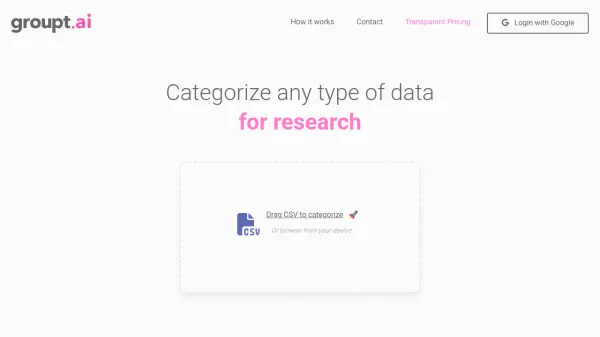
Groupt simplifies the analysis of qualitative data. It allows users to upload CSV files containing information like survey responses or user feedback and receive a comprehensive visualization of response groupings, categories, and insights.

This tool delivers high accuracy and reliability, ensuring dependable data analysis. It makes complex data simple and actionable, acting as a trusted partner in unlocking stories within data.

Features

  • CSV Upload: Easily upload CSV files containing your qualitative data.
  • AI Categorization: Utilizes AI to categorize and group data.
  • Data Visualization: Presents data in clear, visual formats.
  • Insights and Analytics: Provides insights based on the categorized data.
  • High Accuracy: Delivers highly accurate categorization results.

Use Cases

  • Analyzing user feedback
  • Categorizing survey responses
  • Understanding any form of qualitative data

FAQs

  • What file formats are supported by Groupt?
    For now only CSV files are supported.
  • Is there a limit to the amount of data I can upload?
    Yes - free accounts are limited to 50 rows per CSV upload. Paid accounts are virtually unlimited.
  • Do I need my credit card to use Groupt?
    No! As a free user you do not need your credit card - simply log in with your Gmail and start uploading!
  • Can I cancel my Groupt subscription at any time?
    Absolutely! If you become a paid member, you can cancel your account at any time.

Related Queries

Helpful for people in the following professions

Related Tools:

Blogs:

  • Top 6 AI note-taking tools for 2026: in-person, online, and hybrid use cases

    Top 6 AI note-taking tools for 2026: in-person, online, and hybrid use cases

    Most AI note-taking lists are really lists of meeting bots, which join your video call and transcribe it. That's useful, but it's half the picture. Decisions happen in hallway conversations, client dinners, on-site visits, and hybrid rooms where nobody is on a video link. This guide covers different parts of the note-taking workflow: hardware capture for in-person settings, platform-native tools for online calls, and AI layers for organizing and synthesizing what you've captured. It compares six tools by capture context, workflow fit, pricing, and limitations.

  • Best AI tools for Product Photography

    Best AI tools for Product Photography

    Explore top AI tools that can elevate your product photography, helping you enhance images, streamline workflows, and create professional visuals with ease.

  • AI Testimonial Videos: How to Build Social Proof That Actually Converts

    AI Testimonial Videos: How to Build Social Proof That Actually Converts

    AI testimonial videos are transforming marketing in 2026 by helping businesses create professional customer-style videos quickly and affordably. Using real customer reviews, short scripts, and AI tools like Pollo AI, brands can produce engaging testimonials for social media, landing pages, and ads while saving time and improving conversions.

Didn't find tool you were looking for?

Be as detailed as possible for better results