What is GPUOpen?
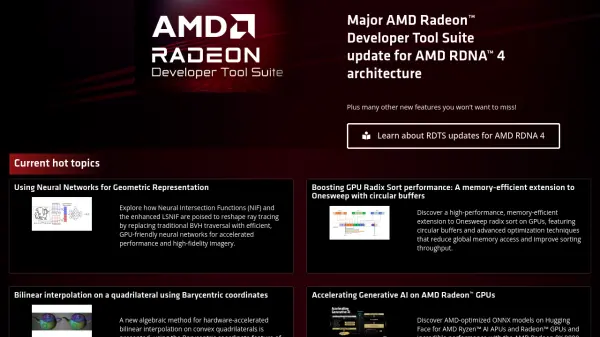
GPUOpen is an extensive resource hub tailored for developers and content creators working with AMD hardware, offering a suite of open-source tools, software development kits (SDKs), and technical documentation. The platform focuses on enhancing performance, rendering quality, and optimizations for graphics applications, supporting APIs such as Vulkan and DirectX, and engines like Unreal and Unity.
With a range of developer toolkits—such as the AMD FidelityFX SDK, GPU Profiler, Raytracing Analyzer, and memory visualization utilities—GPUOpen addresses the needs of graphics developers, AI researchers, and professionals seeking to leverage advanced GPU capabilities. The portal also provides access to research on neural networks, ray tracing, and generative AI acceleration, alongside integration guides and sample code to streamline development on AMD Radeon GPUs.
Features
- Open-Source SDKs: Easy integration of advanced rendering and fidelity effects.
- FidelityFX Suite: Optimized features for upscaling, denoising, and visual enhancement.
- GPU Profiling Tools: Performance analysis and debugging utilities for AMD GPUs.
- AI and Neural Network Integration: Resources and libraries for accelerating AI workloads.
- API Support: Comprehensive support for Vulkan, DirectX 12, and popular game engines.
- Content Creation Tools: Plugins and SDKs for graphics and rendering in major content creation platforms.
- Extensive Documentation: In-depth technical guides, manuals, and reference materials.
- Sample Code and Research: Access to hybrid ray tracing, upscaling, and AI integration samples.
Use Cases
- Integrating advanced upscaling and denoising effects into video games or graphics applications.
- Profiling and optimizing GPU performance for improved game or simulation experiences.
- Accelerating generative AI workloads on AMD Radeon GPUs.
- Developing AI-powered non-player characters (NPCs) in conjunction with Unreal Engine.
- Accessing content creation plugins to boost rendering for animation and VFX production.
- Adopting open-source SDKs for custom rendering pipelines or visualizations.
FAQs
-
What platforms and engines are supported by GPUOpen tools?
GPUOpen tools support major graphics APIs including Vulkan and DirectX, as well as game engines such as Unreal Engine and Unity for seamless integration. -
Are the SDKs and resources provided by GPUOpen open source?
Yes, GPUOpen provides open-source SDKs and tools to enable wide accessibility and ease of integration for developers. -
How can developers access technical documentation for GPUOpen software?
Extensive documentation, manuals, and reference materials are available on the GPUOpen website to assist developers with implementation and optimization.