What is GIF.new?
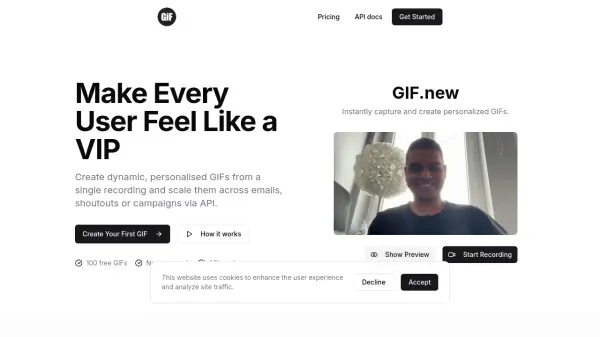
GIF.new is an innovative platform that enables users to record a single short video in their browser and generate thousands of dynamic, personalized GIFs automatically. By utilizing advanced automation and real-time text customization, the tool streamlines the production of tailored GIFs for campaigns, emails, and social shoutouts without manual editing or technical complexity.
Ideal for startups, developers, marketers, and no-code builders, GIF.new integrates seamlessly with major tools and APIs, allowing effortless scalability and increased user engagement. Users can easily record in-browser, trim videos, add customizable text placeholders, and generate or distribute GIFs via a robust API.
Features
- Browser Recording: Instantly capture webcam video without specialized software.
- Dynamic Text Personalization: Add variables for names or handles to create unique GIFs.
- Video Trimming: Edit video length and optimize timing for clean GIF output.
- Bulk GIF Generation: Scale creations from one recording to thousands via automation.
- REST API Integration: Automate GIF creation directly from your apps and workflows.
- No Watermark for Free GIFs: Create GIFs without branding on free tier.
Use Cases
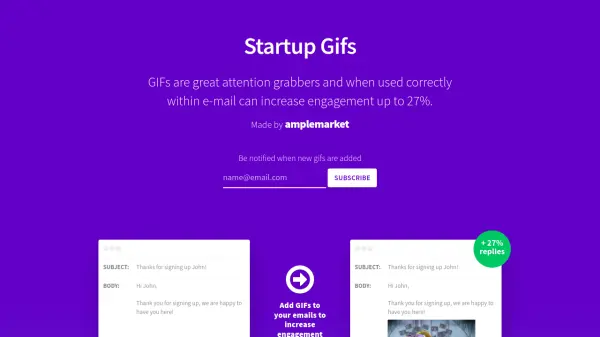
- Personalized welcome emails with custom name GIFs for new users.
- Automated milestone celebrations or shoutouts in user journeys.
- Marketing campaigns enhanced by dynamic, branded GIFs.
- No-code automation of GIF generation for newsletters and campaigns.
- Community engagement on social media through user-specific GIFs.
FAQs
-
Can I generate GIFs using code?
Yes, GIF.new offers a REST API that enables programmatic generation and integration of personalized GIFs into your workflows. -
Do free GIFs have a watermark?
No, GIF.new provides 100 free GIFs without any watermark. -
Can I bulk create personalised GIFs?
Yes, bulk creation of personalized GIFs is possible via automation using placeholders and the API. -
What formats are supported?
GIF.new supports video recording in-browser, which is then converted into the GIF format for distribution. -
How long can my videos be?
The tool allows users to record and trim their videos before conversion, ensuring flexibility in the final GIF length.