
What is Ghostly?
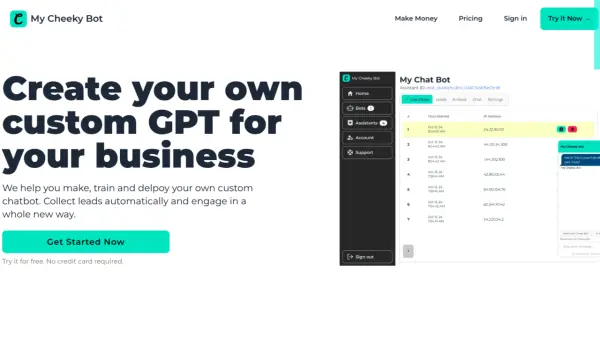
Ghostly is a platform that enables users to create and deploy personalized knowledge chatbots. These chatbots can be seamlessly integrated into websites, providing customized interactions and support. Users maintain control over their AI consumption by using their own API keys, ensuring cost-effectiveness and flexibility.
The platform supports various data inputs, including PDF, text, and Markdown files, as well as URLs, allowing for comprehensive knowledge bases. Ghostly offers extensive customization options, including system prompt modification, predefined and welcome messages, color theme adjustments, and logo integration. The ability to embed chatbots directly into websites enhances accessibility for users.
Features
- Customizable Chatbots: Create chatbots tailored to specific needs and preferences.
- API Key Integration: Use your own API keys to manage AI consumption.
- Data Training: Train chatbots using various file types, including PDF, text, and Markdown, as well as URLs.
- Behavior Customization: Adjust the system prompt and set predefined and welcome messages.
- Appearance Customization: Customize the color theme, logo, and primary colors of the chatbot.
- Website Embedding: Easily integrate chatbots into your website.
- Multiple Model Support: Support for models like OpenAI GPT-3.5, GPT-4 and GPT-4o.
Use Cases
- Customer support automation
- Website interaction enhancement
- Knowledge base integration
- Personalized user assistance
FAQs
-
Is there a free plan available?
Yes, Ghostly offers a free plan. -
Can I customize the chatbot to fit my specific needs?
Yes, Ghostly provides extensive customization options. -
Does the app integrate with other tools or services?
The provided content doesn't specify integrations with other tools, Focusing on using your own API keys.