What is Getty Images?
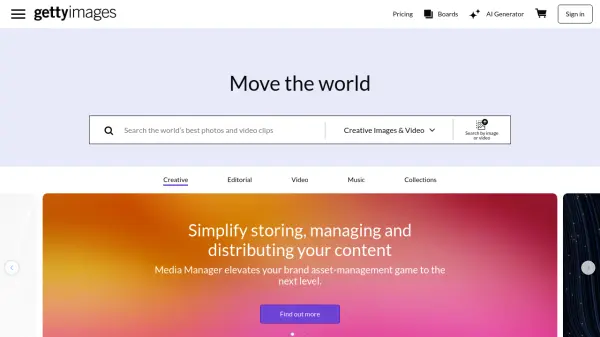
Getty Images provides access to an extensive collection of high-quality creative and editorial content. Users can browse millions of royalty-free images, photos, videos, clips, footage, illustrations, vectors, and music tracks, suitable for various projects. The platform includes exclusive visuals not found elsewhere, covering diverse categories such as business, finance, education, fashion, news, sports, and entertainment.
In addition to its vast library, Getty Images offers an AI-powered tool, Generative AI by Getty Images. This feature allows users to generate new, commercially safe images from text prompts or modify existing creative images by adding, removing, or replacing elements. Custom fine-tuning options are available for creating personalized AI models based on an organization's specific assets, ensuring consistent, on-brand visuals.
Features
- Extensive Royalty-Free Library: Access millions of images, videos, illustrations, vectors, and music tracks.
- Editorial Content: Explore the latest news, sports, and entertainment coverage with exclusive images and videos.
- AI Image Generation: Turn text prompts into commercially safe, ready-to-license images.
- AI Image Modification: Add, remove, or replace elements in existing creative images.
- Custom AI Fine-Tuning: Create personalized AI models using organizational assets for consistent branding.
- Advanced Search: Filter content by category, trending topics, and specific keywords.
- Media Manager: Organise, control, distribute, and measure digital content with a digital asset management system.
- Premium Access Subscription: Simple subscription plan for accessing Getty Images content.
- Custom Content Creation: Leverage Getty Images' network to create brand-specific content.
Use Cases
- Finding royalty-free images for marketing campaigns.
- Sourcing editorial photos and videos for news articles.
- Generating unique, commercially safe visuals using AI for branding.
- Modifying existing stock images to fit specific project needs using AI.
- Discovering illustrations and vectors for graphic design projects.
- Accessing archival footage and images for historical context.
- Managing and distributing brand assets efficiently.
- Creating custom visual content tailored to specific brand requirements.