
What is Galaxyz.io?
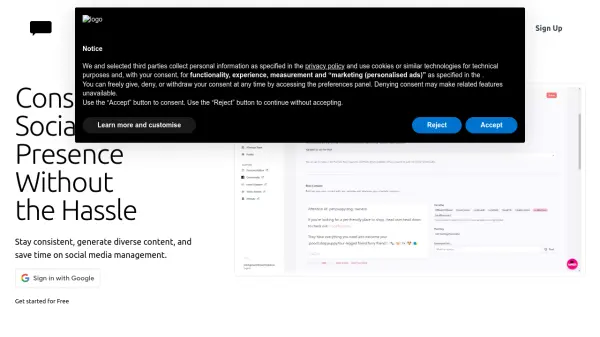
Galaxyz.io offers a straightforward solution for managing social media presence across multiple platforms. It allows users to schedule content in advance and post simultaneously to various connected accounts, including Instagram, TikTok, X/Twitter, LinkedIn, YouTube, Threads, Pinterest, and Facebook. The platform aims to streamline the content publishing process, saving users valuable time typically spent on manual posting to each individual platform.
Designed with an intuitive interface, Galaxyz.io facilitates easy account connection with a single click. Users can upload their content once, add captions, customize details for specific platforms if needed, and then choose to either publish immediately or schedule the post for a future date and time. This centralized approach helps creators and businesses efficiently manage their social media activities and enhance their online reach without significant time investment.
Features
- Post Scheduling: Plan and schedule content up to 3 months in advance.
- Cross Posting: Upload content once and publish it across multiple selected social media accounts.
- Post Management: View posted content and view/edit scheduled posts.
- Multi-Account Connection: Easily connect accounts from various social platforms with one click.
- Platform Integration: Supports Instagram, TikTok, X/Twitter, LinkedIn, YouTube, Threads, Pinterest, and Facebook.
- Content Customization: Add captions and tailor post details for each specific social media platform.
Use Cases
- Scheduling social media content ahead of time.
- Managing multiple social media profiles from a single dashboard.
- Simultaneously publishing content to different social networks.
- Saving time on repetitive social media posting tasks.
- Increasing visibility and reach across various social platforms.
- Streamlining content distribution for marketers and creators.
FAQs
-
Is there a Free Tier available?
Yes, the free tier allows publishing 5 posts per month across 5 connected social media accounts. -
How far ahead can posts be scheduled?
Posts can be scheduled up to 3 months in advance of the current date/time in your timezone. -
Is a free trial offered?
Yes, a 7-day free trial is available. You can cancel anytime during the trial period without being charged. -
Can subscriptions be cancelled?
Yes, subscriptions can be cancelled at any time directly from your account settings. -
Is it possible to change subscription plans?
Yes, users can upgrade or downgrade their subscription plan at any time via their account settings.