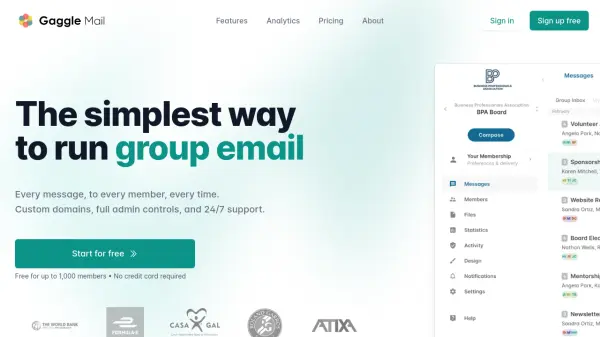
What is Gaggle Mail?
Gaggle Mail provides a cloud-based solution for managing group email communication, eliminating the need for servers or IT teams. Organizations can set up email discussion lists in minutes, with the platform handling delivery, security, and infrastructure automatically. The service supports custom domains, moderation tools, member management, and analytics to track engagement and open rates.
Features include searchable message archives, digest modes, incognito communication, and attachment support up to 35MB per file. Built on modern cloud platforms, it ensures industry-leading security with TLS encryption, GDPR compliance, and email authentication protocols. The platform is designed for simplicity, allowing users to create groups and invite members without technical knowledge, backed by 24/7 human support.
Features
- Custom Domain: Send from your own domain for a professional, branded experience
- Member Management: Import, organize, and manage members with role-based permissions
- Moderation: Approve messages before delivery with control over senders and moderators
- Analytics & Open Rates: Track activity, engagement, and per-message open rates
- Searchable Archive: Full-text search across every message ever sent
- API Access: Full programmatic control over members, messages, and archives
- 24/7 Support: Real human support available around the clock
- Secure By Design: Built on modern cloud platforms with industry-leading security
Use Cases
- Professional associations running member discussion lists and committee communications
- Educational institutions connecting faculty, staff, parents, and alumni through managed email groups
- Charities and non-profits keeping volunteers, donors, and board members informed
- Community groups organizing neighborhood communications and event updates
- Business teams managing internal project discussions and team announcements
FAQs
-
What is the difference between Single Group and Unlimited Groups plans?
Single Group plans charge per member for one group, while Unlimited Groups plans charge per distinct member across all groups you manage, allowing unlimited groups. -
Can I migrate from Google Groups or other platforms?
Yes, Gaggle Mail supports migration from Google Groups, LISTSERV, Mailman, Groups.io, and other platforms, including importing member lists and message archives for free. -
What happens if my group size changes during billing?
If you add members and exceed your subscription level, the subscription automatically increases with charges adjusted pro-rata at the next billing cycle. -
Is there a non-profit discount available?
Yes, registered charities and non-profits can claim a 20% discount on all paid plans. -
What payment methods are accepted?
Gaggle Mail accepts major credit cards, ACH, Apple Pay, and Google Pay through Stripe as the payment provider.