What is FS Poster?
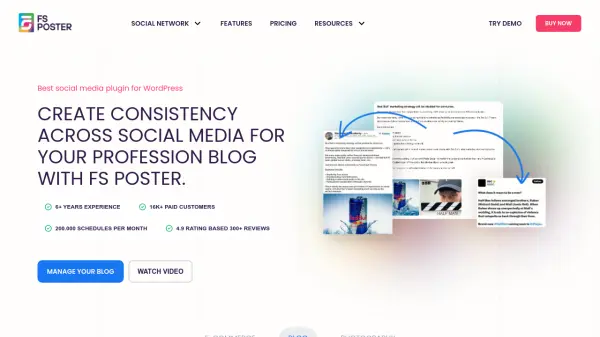
FS Poster is a comprehensive WordPress plugin that automates the process of sharing website content across various social media networks. It enables users to schedule and auto-post content directly from their WordPress dashboard to over 20 platforms, including Facebook, Instagram, Twitter, LinkedIn, Pinterest, TikTok, and more. This tool aims to enhance online presence and engagement by maintaining a consistent posting schedule without manual effort.
The plugin integrates AI capabilities to further streamline social media management. It features an AI Content Generator for creating captions, suggesting hashtags, and developing tailored content ideas. Additionally, an AI Image Generator allows users to create visuals for their posts directly within the plugin. FS Poster supports customization of post content, images, and links for each social network, ensuring messages resonate with different audiences. It also offers features like migrating old posts, setting up drip campaigns, and managing multiple accounts, making it suitable for businesses, bloggers, and portfolio managers.
Features
- AI Content Generator: Creates captions, suggests hashtags, and finds content ideas.
- AI Image Generator: Generates visuals for social media posts.
- Multi-Platform Support: Auto-posts to 21 social networks and services.
- Auto-Posting: Automatically shares new WordPress posts.
- Scheduling: Plans and schedules posts daily or hourly.
- Bulk Scheduling: Migrates and schedules old WordPress posts.
- Story Scheduling: Shares stories automatically with links and hashtags.
- Post Customization: Tailors content, images, and links for each network.
- Direct Sharing: Shares content directly without needing a WordPress post.
- Comment Integration: Grabs Facebook comments and displays them on WordPress posts.
- Calendar View: Visualizes scheduled posts on a calendar.
- Multi-User Support: Allows different WordPress users to manage their own accounts.
- Webhook Integration: Connects to various platforms via Webhooks, Zapier, and IFTTT.
- Custom Post Type Support: Works with all WordPress custom post types.
Use Cases
- Automating social media marketing for e-commerce stores.
- Maintaining consistent social media presence for blogs.
- Syncing and promoting portfolios across social networks.
- Scheduling posts across multiple social media platforms.
- Migrating existing WordPress content to social media channels.
- Using AI to generate engaging social media captions and images.
- Managing social media accounts for multiple clients or websites.
- Creating drip campaigns for social media content.
- Sharing content directly to social media without creating a WordPress post.
FAQs
-
Is the FS Poster license a one-time purchase or subscription?
The license is a lifetime purchase, providing lifetime updates and 6 months of free support for technical issues. -
How many social media accounts can I add to the plugin?
There is no limit; you can add unlimited social media accounts. -
Can other WordPress users on my site use the plugin?
Yes, the plugin supports a multi-user platform. Each WordPress user can add and manage their own social accounts. You can also make specific accounts public for other users to post to. -
Does FS Poster support custom post types in WordPress?
Yes, the plugin supports all custom post types. You can add new post types in the FS Poster settings. -
How can I move the FS Poster plugin to a new domain?
Deactivate and delete the plugin on the old site, then install it on the new website. It's recommended to export plugin data via the Export & Import settings before moving.