
What is FreedomGPT?
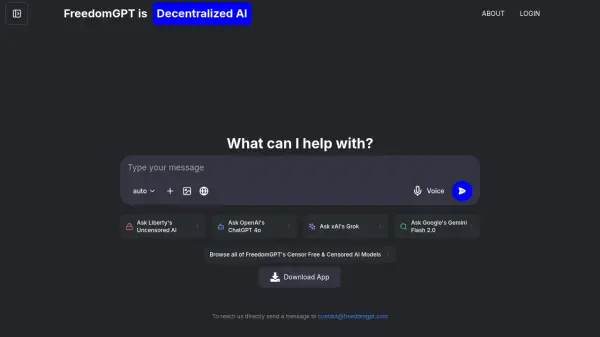
FreedomGPT serves as a comprehensive platform that enables users to access and switch between various AI models, including censor-free options, through an intuitive interface. The platform offers both browser-based and desktop applications, with the latter providing offline functionality for enhanced privacy and performance.
The platform features the unique Liberty models that operate without censorship or judgment, while maintaining a user-friendly experience. For developers, FreedomGPT provides opportunities to showcase their models through the FreedomGPT App Store, creating an expansive ecosystem of AI capabilities.
Features
- Uncensored AI Models: Access to Liberty models without content restrictions
- Offline Functionality: Complete offline access through desktop application
- Private Processing: Local data processing for enhanced privacy
- Multi-Model Support: Access to various AI models in one interface
- Cross-Platform Compatibility: Available for both web browsers and desktop
- App Store Integration: Easy access to diverse AI tools and models
Use Cases
- Private AI consultations
- Offline AI assistance
- Unrestricted AI research
- Local data processing
- Developer model showcase
- Cross-platform AI access
FAQs
-
What are the system requirements for the desktop version?
The desktop version requires 16GB RAM and approximately 250-255MB of storage space. For Mac users, it currently only supports Apple Silicon (M1, M2) processors. -
Can I use FreedomGPT without an internet connection?
Yes, the desktop version of FreedomGPT can be used completely offline once downloaded. -
Is my data private when using FreedomGPT?
Yes, when using the edge local version, all data processing happens locally on your device and never leaves it, ensuring complete privacy.