Free Video Cutter
Cut, split, and trim video files easily with this free utility

What is Free Video Cutter?

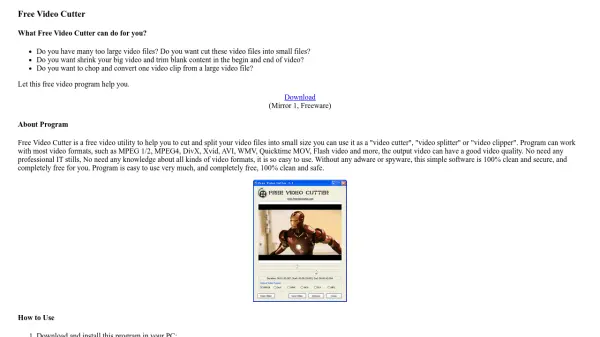
Free Video Cutter is a free video utility designed to help users cut and split video files into smaller sizes. It functions as a video cutter, splitter, or clipper, working with most video formats including MPEG 1/2, MPEG4, DivX, Xvid, AVI, WMV, Quicktime MOV, and Flash video. The output maintains good video quality without requiring professional IT skills or knowledge of video formats.

This software is easy to use, completely free, and 100% clean and secure with no adware or spyware. It includes options to adjust cutting precision and disable video thumb creation for large files, making it suitable for various video editing needs.

Features

  • Video Cutting: Cut and split video files into smaller sizes
  • Format Support: Works with MPEG, AVI, WMV, Quicktime MOV, and more
  • Precision Adjustment: Change cutting precision from 10 to 200 positions
  • No Thumbs Option: Disable video thumb creation for large files
  • Output Formats: Save videos in MPEG4, DivX, WMV, Quicktime MOV, Flash Video, or MP3 audio

Use Cases

  • Reducing video file sizes for easier sharing
  • Trimming blank content from the beginning or end of videos
  • Extracting specific clips from large video files
  • Converting video formats while cutting
  • Creating audio tracks from video files

Related Tools:

Blogs:

  • AI tools for video voice overs

    AI tools for video voice overs

    Discover the next level of video production with AI-powered voiceover tools. Enhance your content effortlessly, ensuring professional-quality narration for your videos.

  • Best AI tools for trip planning

    Best AI tools for trip planning

    These tools analyze user preferences, budget constraints, and destination details to provide personalized itineraries, suggest optimal routes, recommend accommodations, and even offer real-time updates on weather and local events.

  • Chat with PDF AI Tools

    Chat with PDF AI Tools

    Easily interact with your PDF documents using our advanced AI-powered tool. Whether you're reading lengthy reports, research papers, contracts, or eBooks, our platform lets you chat directly with your PDF files, ask questions, extract insights, and get summaries in real-time.

  • Best text to speech AI tools

    Best text to speech AI tools

    Text-to-speech (TTS) AI tools are designed to convert written or text-based content into natural-sounding spoken audio. These tools utilize various deep learning and neural network architectures to generate human-like speech from textual input.

Didn't find tool you were looking for?

Be as detailed as possible for better results