What is FoodZaps?
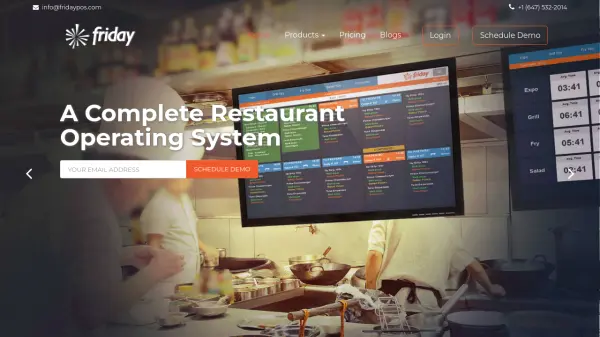
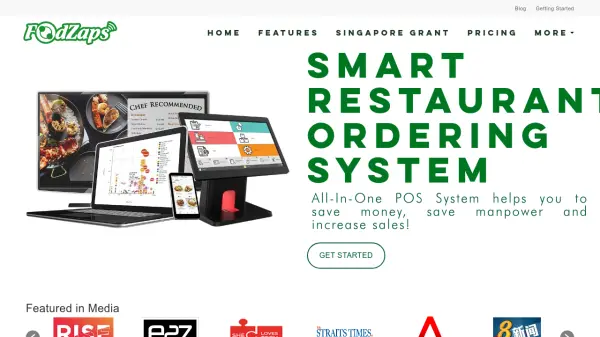
FoodZaps is a powerful all-in-one Android POS system designed for F&B businesses of all sizes. It helps streamline operations by managing inventory, staff, menus, orders, and billing from a single platform accessible on Mac or PC. With features like QR code self-ordering, eMenu automation, kitchen display systems, and real-time analytics, FoodZaps simplifies restaurant management and helps boost sales. The system supports various F&B setups including cafes, hawker stalls, restaurants, and bars, with flexible hardware options and offline capabilities.
Features
- Customer QR Code Self-Ordering: Allows customers to scan QR codes to place orders from their own devices, reducing waitstaff workload.
- EWaiter: Enables waiters to take orders and process billing tableside using mobile devices.
- Emenu Automation: Digital menus that automatically update pricing and availability across all devices.
- Inventory Management: Tracks stock levels with barcode scanning and low-stock warnings.
- Employee Management: Manages staff shifts, permissions, and performance.
- Report & Analytics: Provides detailed sales, manpower, and accounting reports accessible on any device.
Use Cases
- Streamlining order taking and billing in cafes and restaurants
- Managing inventory and reducing waste in food kiosks
- Enabling contactless self-ordering for quick-service restaurants
- Tracking sales performance across multiple outlets
FAQs
-
How does the free trial work?
Try all of FoodZaps’ features for free until you are ready to subscribe. No credit card required. You can also continue to use the free version of FoodZaps after the trial. -
How do I activate my account?
When you are ready to activate your account, from the app, go to 'Settings', 'Plan & Billing', then tap on 'Renew/Upgrade'. You will be led to our Payment Page. -
What type of payments do you accept?
Our payments are done through PayPal. If your country does not accept PayPal, you will find a bank account you can make the transfers to on the invoice. -
Do I have to sign a long-term contract?
When you choose to activate your account to a paid plan, you pay monthly or yearly (with a discount) and can cancel at any time. There are no commitments and long-term contracts. -
Can I change plans?
Absolutely, when you are on automatic renewal, you can choose to upgrade or downgrade your plan and devices any time.