What is Fluar?
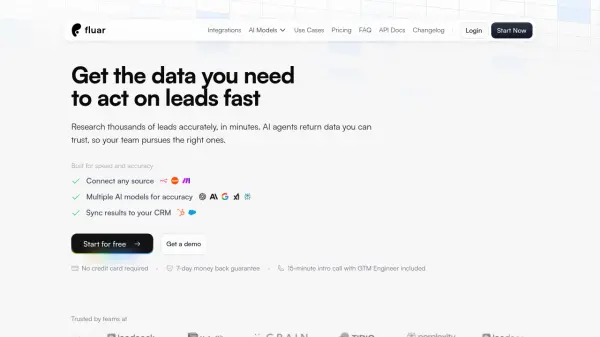
Fluar provides a spreadsheet-like interface for building AI workflows that automatically research, extract, and process data. It connects to various data sources including CRMs, CSV files, and webhooks, then uses multiple AI models to enrich and transform information. The platform allows users to create automated columns that perform tasks like scraping websites, finding LinkedIn profiles, conducting company research, and verifying lead characteristics.
With a pay-per-use token system, Fluar scales according to data needs while maintaining data security. It offers templates for common use cases such as sales lead discovery, marketing research, and operations compliance checks. The tool integrates with external systems and provides different processing speeds based on subscription tiers.
Features
- Multiple AI Models: Utilizes various AI models for accurate data processing and enrichment
- Spreadsheet Interface: Familiar spreadsheet-like environment for building AI workflows
- Data Source Integration: Connects to HubSpot, Salesforce, CSV files, webhooks, and other sources
- Template Library: Pre-built templates for sales, marketing, operations, and strategy use cases
- Automated Column Enrichment: AI-powered columns that automatically research and process data
- CRM Synchronization: Syncs enriched results directly to customer relationship management systems
- Credit-Based Pricing: Transparent pay-per-use token system that scales with data needs
- Processing Speed Options: Different execution speeds available based on subscription tier
Use Cases
- Sales lead research and LinkedIn profile discovery
- Company information enrichment including founders and funding details
- Marketing research by scraping competitor websites
- New signup research and lead scoring for operations teams
- Invoice compliance checking using OCR integration
- Automated data collection from various sources
- Lead verification and characteristic scoring
- Data transformation and enrichment workflows
FAQs
-
How does Fluar work?
Fluar works as a spreadsheet-like tool where each column can research, extract, and process data automatically using AI agents and internet/external tool integrations. -
Do I need any technical or coding experience to use Fluar?
No technical or coding experience is required to use Fluar's spreadsheet interface for building AI workflows. -
How do I create a new workflow?
New workflows can be created using Fluar's spreadsheet interface, either from scratch or by using pre-built templates for various use cases. -
What exactly is an AI agent in Fluar?
An AI agent in Fluar is an automated column that researches, extracts, and processes data using AI models and integrations. -
Can I use different types of inputs in my workflows?
Yes, Fluar supports various input types including data from CRMs, CSV files, webhooks, and other integrated sources.