What is FlowSpeech?
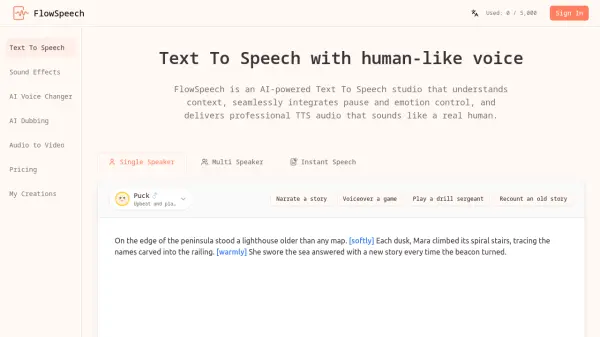
FlowSpeech utilizes advanced AI technology to transform written text into natural-sounding speech that closely mimics human voices. The platform analyzes context to automatically adjust sentiment, timing, and nuance, ensuring audio outputs convey appropriate emotions such as joy, sorrow, or excitement. Users can manually fine-tune speech effects by inserting commands like [whisper] or [shout], and control pacing with precise pause tags such as [⌛1.0s].
Supporting over 70 languages and offering 30 distinct voice styles across categories like serious news, energetic marketing, warm narrative, and expressive characters, FlowSpeech caters to diverse audio production needs. It features multiple generation modes including Single Speaker for monologues, Multi Speaker for automated voice matching in dialogues, and Instant Speech for quick results. The tool processes up to 200,000 characters per render and accepts various file formats including PDF, DOC, PPT, and images, making it suitable for long-form content like audiobooks and video voiceovers.
Features
- Context-Aware Emotion Delivery: Automatically infuses appropriate sentiment like joy or excitement based on script context
- Precise Pause Controls: Allows insertion of pause tags such as [⌛1.0s] to master audio pacing without post-production editing
- Multi Speaker Auto Voice Matching: Detects different speakers in text and pairs each with suitable AI voices for automated dialogue production
- File Support: Reads PDF, DOC, PPT, TXT, RTF, EPUB, and image files to extract text for accurate TTS conversion
- Voice Variety: Offers 30 distinct voices across serious news, energetic marketing, warm narrative, and expressive character styles
- Language Coverage: Handles 70+ languages to reach international markets effectively
Use Cases
- Creating immersive audiobooks from novels or textbooks
- Producing video voiceovers for marketing or educational content
- Generating podcasts with multi-speaker conversations
- Narrating stories or scripts with emotional depth
- Voiceover for games or interactive media
- Producing audio drills or training materials
FAQs
-
How do I add emotions or accents in FlowSpeech?
Type '[' to open the command palette and insert tags like [whisper] or [strong British accent] to change tone and accent. -
Can I use generated audio commercially?
Yes, FlowSpeech allows commercial use of the generated audio outputs. -
Is FlowSpeech Text To Speech free to use?
FlowSpeech offers a free tier with limited credits and characters, along with paid plans for extended usage. -
Do you support custom voices?
The provided content does not specify support for custom voices; it mentions 30 pre-set AI voices across various styles. -
Is my data safe here?
The tool emphasizes data safety, but specific security details are not provided in the content.