What is Flowbird?
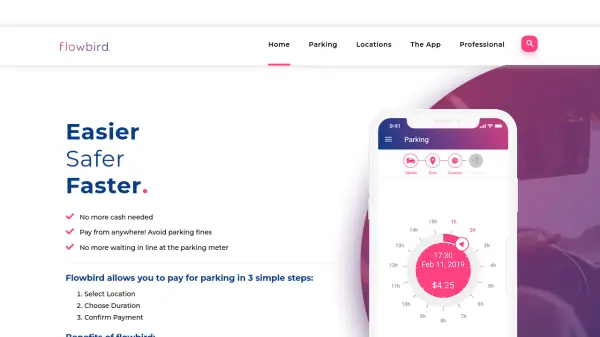
Flowbird is a digital parking payment service that allows motorists to pay for parking using their mobile device or computer. The app simplifies the parking process by enabling users to pay from anywhere, avoiding parking fines and eliminating the need to wait in line at parking meters. With GPS technology, Flowbird automatically identifies the user's parking location, ensuring accurate payment and convenience.
Users benefit from smart notifications during parking sessions, paying only for the actual parking time used. The service supports multiple vehicles per account and is available in various locations where the service is implemented. Parking enforcement can verify payments digitally through handheld devices, removing the requirement for printed receipts.
Features
- Fast and Secure Payment: Enables quick and secure digital transactions for parking
- Remote Ticket Time Extension: Allows users to extend parking time remotely
- Parking Availability: Provides information on parking availability in supported locations
- Expiring Time Notifications: Sends smart notifications about parking session expiration
- Location Finder: Uses GPS to automatically identify parking locations
- Multi-Vehicle Support: Allows registration of multiple vehicles in one account
Use Cases
- Paying for street parking without cash
- Avoiding parking fines by ensuring timely payments
- Extending parking sessions remotely when needed
- Managing parking for multiple vehicles through one account
- Receiving notifications about parking expiration to prevent overstays
FAQs
-
How does Flowbird verify parking payments to enforcement personnel?
Enforcement personnel use handheld mobile devices to look up current records of valid parking payment transactions for vehicles, eliminating the need for printed receipts. -
Can I use Flowbird in different locations?
Yes, you can use your Flowbird account to pay for parking in all locations that support the service, as indicated on their website. -
How do I add multiple vehicles to my Flowbird account?
You can add or register other vehicles to your account via the My Account page or during your next parking transaction after initial registration.