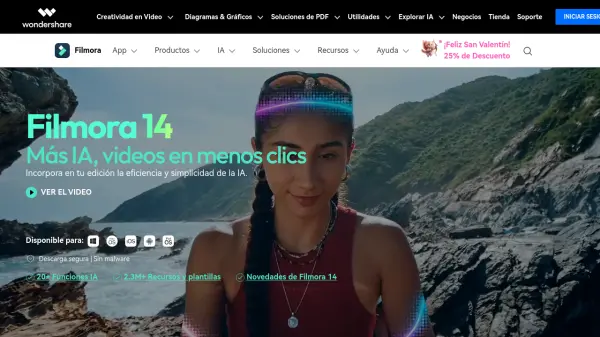

What is Filmora?
Features
- AI Text to Video: Generate videos directly from text prompts using Veo 3.1 AI technology.
- AI Image to Video: Convert static images into dynamic video sequences with AI.
- AI Video Extender: Automatically extend video scenes beyond their original length.
- AI Audio Enhancer & Denoise: Improve audio clarity by removing noise and enhancing sound quality.
- AI Vocal Remover: Separate vocals from background music in any audio track.
- AI Text to Speech & Music Generator: Create voiceovers and original music tracks using AI.
- Auto Caption & AI Video Translation: Automatically generate captions and translate video content into multiple languages.
- AI Portrait Cutout & Object Remover: Remove backgrounds or unwanted objects from video with AI precision.
- Dual-Timeline Editing: Edit with a source and sequence timeline simultaneously for professional-grade control.
- 2.9M+ Creative Assets: Access a vast library of royalty-free templates, effects, music, stickers, filters, and transitions.
- Social Content Planner: Schedule and publish video content directly to social media platforms.
- Pen Tool & Keyframe Animation: Draw custom motion paths and control animation timing with precision.
Use Cases
- Creating short-form content for TikTok, Instagram Reels, and YouTube Shorts
- Producing marketing and promotional videos for businesses
- Editing vlogs and lifestyle videos for YouTube creators
- Generating AI-powered videos from text or image prompts
- Adding auto-generated captions and translations for multilingual audiences
- Removing backgrounds or unwanted objects from video footage
- Designing animated data charts for presentations and marketing videos
- Scheduling and distributing social media video content
- Creating video resumes and product demo videos
- Producing music videos with beat-synced editing and lyric animations
How It Works
Download and Launch Filmora
Download Filmora on your preferred device — Windows, Mac, iOS, Android, or iPad — and launch the application to begin a new project.
Import or Generate Your Media
Import your existing video, image, or audio files, or use AI tools such as Text to Video or Image to Video to generate new content directly within the editor.
Edit with AI and Creative Tools
Use the timeline, pen tool, keyframes, and AI features like object removal, background cutout, audio enhancement, auto captions, and animated charts to craft your video.
Enhance with Creative Assets
Browse and apply royalty-free templates, effects, transitions, music, stickers, and filters from the 2.9M+ asset library to enrich your project.
Export and Publish
Export your video in your desired format or publish directly to YouTube, TikTok, or Instagram using the built-in Social Content Planner for scheduled distribution.
FAQs
-
Why should I choose Filmora Video Editor?
Filmora is used by millions of creators worldwide. It offers over 2.9 million built-in stock media assets, professional-level video effects, custom templates, AI-powered automation, and one-click drag-and-drop editing, making it suitable for both professionals and enthusiasts. -
Can the resources of Filmora be used for commercial purposes?
It depends on the resource type. AI-generated resources labeled 'Commercially available' (such as AI Music) can be used commercially. Other AI-generated resources like AI images and sound effects are for non-commercial use. Non-AI resources labeled 'commercially available' are permissible for commercial purposes. -
Can I export videos directly to YouTube from Filmora?
Yes, Filmora supports direct YouTube export with an integrated 'YouTube Upload' mode. The Social Video Planner also allows you to schedule video posts in advance for consistent and timely distribution. -
Does Filmora support GPU acceleration?
Yes, Filmora supports GPU acceleration, which speeds up video rendering and editing processes for compatible systems. -
What video formats does Filmora support for export?
Filmora supports a wide range of export formats including MP4, MOV, AVI, MKV, MPEG, and more. It also supports formats optimized for social media platforms like YouTube, Vimeo, and TikTok.