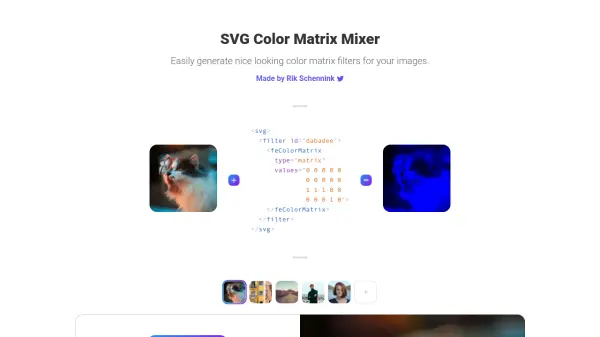
What is feColorMatrix?
feColorMatrix is an AI-powered tool designed to help users generate color matrix filters for images effortlessly. It leverages SVG filters and CSS properties to apply custom color transformations, making it simple to alter the appearance of HTML elements. The tool provides an intuitive interface for creating and implementing these filters, enhancing visual design without requiring extensive technical knowledge.
By utilizing the feColorMatrix SVG filter within CSS, users can achieve precise color adjustments, such as turning images blue or applying other color effects. This tool is ideal for web developers and designers looking to add dynamic visual effects to their projects with minimal effort.
Features
- Color Matrix Generation: Create custom color matrix filters for images using SVG.
- CSS Integration: Apply filters through CSS properties to HTML elements.
- Visual Effects: Enable color transformations like turning images blue or other custom effects.
- User-Friendly Interface: Simplify filter creation without deep technical expertise.
- SVG Filter Support: Utilize feColorMatrix for precise color adjustments.
Use Cases
- Applying color filters to images on websites.
- Enhancing visual design of HTML elements with custom colors.
- Creating dynamic visual effects for web projects.
- Experimenting with color transformations in web development.
- Simplifying the process of adding color adjustments to images.
FAQs
-
What is feColorMatrix used for?
feColorMatrix is used to generate color matrix filters for images, allowing users to apply custom color transformations to HTML elements using SVG and CSS. -
How do I apply a color matrix filter to an image?
Define the filter in SVG with feColorMatrix values and apply it to the image using the CSS filter property, as shown in the example on the homepage. -
Can I use feColorMatrix for non-image HTML elements?
Yes, feColorMatrix filters can be applied to any HTML element that supports CSS filters, enabling color transformations beyond just images. -
Is technical expertise required to use this tool?
No, the tool is designed to simplify the process, making it accessible even for users with minimal technical knowledge. -
What types of color effects can I create?
You can create various effects, such as turning images blue or applying other custom color matrices, by adjusting the values in the feColorMatrix.