What is FAQ Hub?
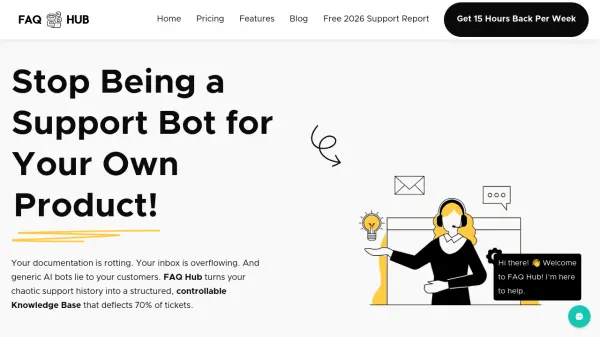
FAQ Hub is an AI-powered customer support automation platform designed specifically for SaaS founders and growing businesses. It addresses common pain points like repetitive support queries, outdated documentation, and unreliable AI chatbots by providing a structured knowledge management system with human oversight.
The platform uses AI to analyze messy support logs, PDF manuals, and other documentation to extract Q&A pairs and organize them into a categorized knowledge base. Users maintain full control through a segregated CMS backoffice where they can review, edit, and approve all content before publication. This ensures the AI chatbot only provides answers from the approved knowledge base, eliminating hallucinations and maintaining accuracy.
Features
- AI Knowledge Base Creation: Upload CSVs, PDFs, or URLs to automatically extract and structure Q&A pairs into categorized content
- Anti-Hallucination Workflow: Lock bot to 'RAG Only' mode to prevent answers outside approved knowledge base
- Stale Content Watchdog: Alerts when articles haven't been updated in 90 days or receive negative feedback
- Team Permissions: Granular editor and admin roles for controlled content management
- Multi-Tenant Support: Manage multiple products from single login with segregated data
- Deflection Analytics: Track hours saved and tickets deflected with detailed reporting
- Hybrid Hosting Options: Use embedded widget or standalone SEO-optimized help center
Use Cases
- Automating repetitive customer support responses for SaaS companies
- Creating structured knowledge bases from existing support documentation
- Reducing support ticket volume through AI-powered self-service
- Maintaining accurate, up-to-date customer support resources
- Providing 24/7 customer support without increasing team size
- Training new support agents with internal knowledge access
FAQs
-
How does FAQ Hub ensure AI responses are accurate?
FAQ Hub uses a 'Truth Engine' that locks the bot to 'RAG Only' mode, meaning it only answers from your approved knowledge base and never hallucinates information outside what you've published. -
Can multiple team members collaborate on the knowledge base?
Yes, FAQ Hub offers granular team permissions with 'Editor' and 'Admin' roles, allowing team members to draft content while maintaining quality control through admin approval before publishing. -
How does FAQ Hub handle situations where the bot isn't confident in an answer?
The platform includes a smart escalation feature that automatically hands off chat context to email support if the bot isn't 90% confident or if the user requests a human, preventing customers from getting trapped in support loops. -
What types of content can I import into FAQ Hub?
You can upload messy support logs in CSV format, PDF manuals, or simply paste URLs from existing documentation, and the AI will extract Q&A pairs to structure your knowledge base. -
How does FAQ Hub help maintain up-to-date documentation?
The Stale Content Watchdog feature alerts you when articles haven't been updated in 90 days or receive 'Thumbs Down' feedback, ensuring your knowledge base remains current and relevant.