


What is FaceCall?
FaceCall is a modern video calling application that brings context to every call. Instead of just seeing a name and number, the caller can record a short video intro that plays before the call connects. The receiver sees who is calling and why, enabling them to decide how and when to respond. Once answered, the call connects instantly with clear video and end-to-end encryption built in.
The app also includes real-time translation for cross-language conversations, group video calls, optional visual tools for comfort on camera, and screen sharing. AI integration subtly enhances video quality without filters or effects, making the experience natural and effortless.
Features
- Video Caller ID: Record a short video that plays before the call connects, so the receiver sees who you are and why you're calling.
- End-to-End Encryption: All calls are secured with end-to-end encryption.
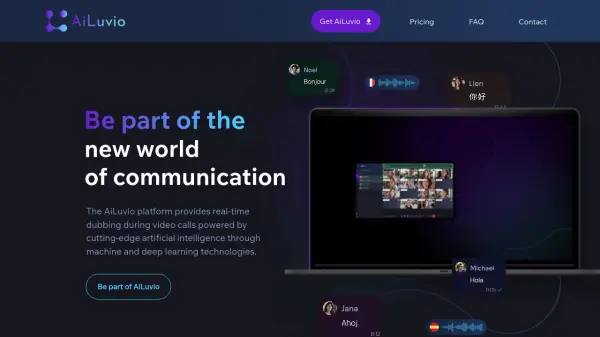
- Real-Time Translation: Automatically translates conversations across languages.
- Group Video Calls: Supports group video calls for multiple participants.
- Optional Visual Tools: Provides tools to help users feel comfortable on camera.
- Screen Sharing: Allows sharing your screen during a call.
- AI Integration: AI automatically adjusts video quality for clear, natural-looking video.
Use Cases
- Personal video calls where you want to give context before answering.
- Business calls to let colleagues know the purpose of the call beforehand.
- International conversations with real-time translation.
- Group meetings or catch-ups with friends and family.
- Screen sharing for presentations or tutorials.
FAQs
-
How does FaceCall's video caller ID work?
When you make a call, you can record a short video that plays for the receiver before they answer. The video shows who you are and why you're calling, giving them context. -
Is FaceCall secure?
Yes, FaceCall uses end-to-end encryption for all calls, ensuring your conversations remain private. -
Does FaceCall support group calls?
Yes, FaceCall supports group video calls when more than two people need to join the conversation. -
Can I use FaceCall for international calls?
Yes, FaceCall includes real-time translation to help conversations flow across different languages. -
Is there a desktop version of FaceCall?
The homepage mentions downloading the app for mobile devices. It does not specify a desktop version.