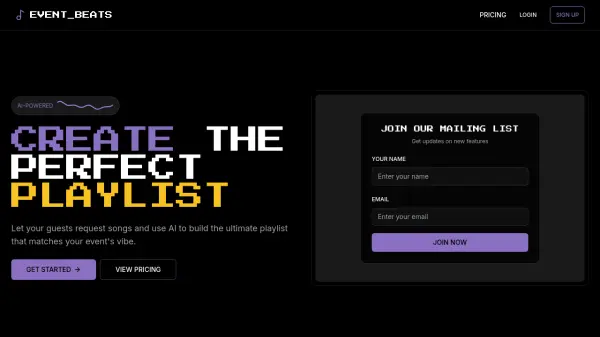
What is EventBeats?
Leverage artificial intelligence to curate the ideal musical atmosphere for any event. This platform facilitates the collection of song requests directly from guests via a unique digital invitation link, simplifying the process for attendees as no account creation is required on their part. Once requests are gathered, the AI analyzes the submitted tracks to understand the desired vibe.
Based on this analysis, it intelligently suggests and integrates additional songs that complement the guest selections, ensuring a cohesive and engaging playlist. The final playlist is generated for use with supported music streaming services, currently including Spotify, with plans to integrate Apple Music and others soon. Users can choose from various invitation templates depending on their selected plan, ranging from basic to premium options.
Features
- Guest Song Request Collection: Allow guests to submit their favorite songs through a unique event link without needing an account.
- AI Playlist Generation: Automatically creates a playlist blending guest requests with AI-selected tracks matching the event's atmosphere.
- Spotify Integration: Generates playlists directly compatible with Spotify accounts.
- Customizable Invitations: Offers various templates (Basic, Standard, Premium) for creating digital event invitations.
- Playlist Regeneration: Provides the capability to regenerate the AI portion of the playlist (available in paid plans).
Use Cases
- Creating personalized music playlists for parties and gatherings.
- Curating the perfect wedding reception playlist based on guest preferences.
- Generating background music for corporate events and functions.
- Building collaborative playlists for social events.
- Simplifying music selection for event organizers and hosts.
FAQs
-
Do I need a Spotify or Apple Music account?
Yes, you'll need an account with either Spotify or Apple Music to create playlists. The service you choose must match your subscription plan. -
How do guests submit song requests?
Guests can submit song requests through a unique link included in your digital invitation. They don't need to create an account. -
How accurate are the AI recommendations?
Our AI analyzes the songs requested by your guests to recommend similar tracks that match the vibe. You can preview and approve all recommendations. -
How many songs can guests request?
The number of song requests per guest depends on your package: Trial allows up to 3 songs per guest (5 guests max), Starter allows up to 5 songs per guest (20 guests max), and Pro allows up to 10 songs per guest (50 guests max). -
What's your refund policy?
You can cancel and get a full refund up to 24 hours before the event starts. No refunds after the event begins, but we'll address any major issues with a credit or partial refund.