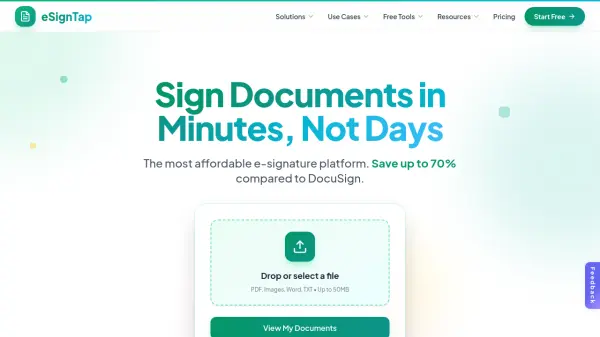
What is eSignTap?
eSignTap provides a comprehensive electronic signature solution designed for businesses of all sizes, offering legally binding signatures compliant with ESIGN Act, UETA, and eIDAS regulations. The platform features a drag-and-drop editor for placing signature fields, text boxes, dates, and checkboxes on documents, supporting multiple formats including PDF, images, Word, and TXT files up to 50MB.
With real-time tracking and instant notifications, users can monitor document status as recipients sign from any device without app downloads. The service includes unlimited signer support on paid plans, 256-bit encryption for security, and industry-specific solutions for real estate, HR, legal, healthcare, small businesses, and freelancers.
Features
- Drag & Drop Editor: Intuitively place signature fields, text boxes, dates, and checkboxes anywhere on documents with no learning curve
- Multi-Signer Support: Add unlimited signers with custom signing order and roles on paid plans
- Bank-Level Security: 256-bit encryption protects every document with SOC 2 compliance and secure data storage
- Real-Time Tracking: Monitor exactly when documents are viewed, opened, and signed
- Instant Notifications: Receive email alerts the moment a signature is completed
- Works on Any Device: Sign from phones, tablets, or desktops with responsive design requiring no app download
Use Cases
- Closing real estate deals faster with streamlined contract signing for agents and brokers
- Onboarding new hires in minutes with digital offer letters and NDAs for HR and recruiting
- Managing legally binding signatures with full audit trails and compliance for legal professionals
- Handling HIPAA-friendly document workflows for patient forms and consent documents in healthcare
- Sending contracts and invoices for signing in seconds for freelancers and small businesses
- Streamlining document signing processes for growing businesses without enterprise bloat
FAQs
-
What document formats does eSignTap support?
eSignTap supports PDF, images, Word, and TXT files up to 50MB in size. -
How long does it take to set up documents on eSignTap?
Documents can be set up in under 2 minutes with the platform's intuitive interface. -
Does eSignTap offer templates for different industries?
Yes, eSignTap provides industry-specific templates for real estate, healthcare, legal, and other sectors. -
What happens to my documents if I cancel my subscription?
You'll have 30 days to download your documents after cancellation, with export instructions provided. -
Can I use eSignTap without creating an account?
Yes, eSignTap offers free tools like PDF signing and signature generation that don't require an account.