What is EqualizerPro?
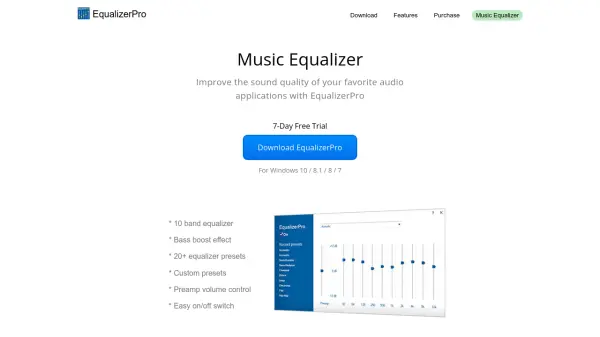
EqualizerPro is a specialized software application designed to enhance audio quality on Windows operating systems. It integrates artificial intelligence to analyze and optimize sound output from various audio applications, providing users with a tailored listening experience. The tool offers a range of features including a 10-band equalizer, bass boost effects, and over 20 preset equalizer configurations.
Users can create custom presets to suit different audio sources or personal preferences, with additional controls for preamp volume and an easy on/off switch for quick adjustments. EqualizerPro is compatible with Windows 10, 8.1, 8, and 7, and includes a 7-day free trial for evaluation. It is recommended for use with music players, streaming services, and other audio software to achieve improved sound clarity and depth.
Features
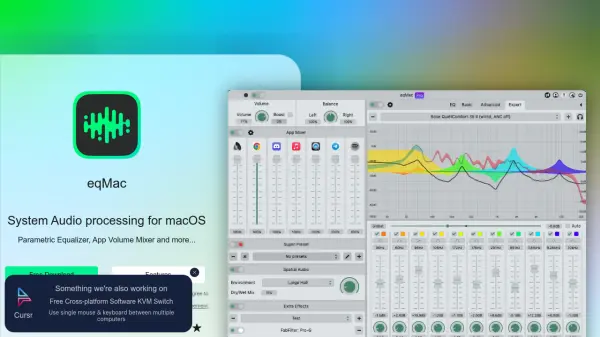
- 10 Band Equalizer: Adjust audio frequencies across ten bands for precise sound customization
- Bass Boost Effect: Enhance low-frequency sounds to add depth and richness to audio
- 20+ Equalizer Presets: Choose from over twenty preset configurations for different audio types
- Custom Presets: Create and save personalized equalizer settings for specific applications or preferences
- Preamp Volume Control: Manage overall volume levels before equalization to prevent distortion
- Easy On/Off Switch: Quickly toggle the equalizer on or off without complex adjustments
Use Cases
- Improving sound quality in music players like Spotify or iTunes
- Enhancing audio clarity in video streaming applications such as Netflix or YouTube
- Customizing sound profiles for gaming audio to boost immersion
- Optimizing audio output for podcasts or audiobooks for better listening experiences
- Adjusting equalizer settings for conference calls or communication software to improve voice clarity
FAQs
-
What operating systems does EqualizerPro support?
EqualizerPro is compatible with Windows 10, 8.1, 8, and 7. -
Is there a free trial available for EqualizerPro?
Yes, EqualizerPro offers a 7-day free trial for users to test its features. -
Can I create my own equalizer presets with EqualizerPro?
Yes, EqualizerPro allows users to create and save custom presets for personalized sound adjustments. -
Does EqualizerPro include a bass boost feature?
Yes, EqualizerPro includes a bass boost effect to enhance low-frequency audio. -
How do I turn the equalizer on or off in EqualizerPro?
EqualizerPro has an easy on/off switch for quickly toggling the equalizer without complex steps.