What is Elements by Namazu Studios?
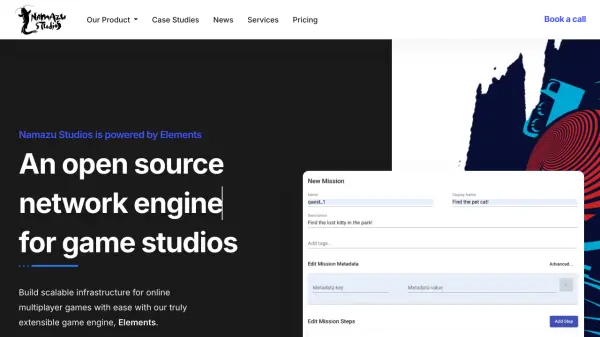
Elements, developed by Namazu Studios, provides a robust and extensible open-source backend solution tailored for online game development. It serves as both a network engine and a live operations (LiveOps) platform, enabling studios to efficiently build and manage the infrastructure for multiplayer games or online solo experiences. The platform is designed for scalability, allowing games to handle a large number of concurrent players through horizontal scaling.
Featuring a server-authoritative architecture, Elements enhances game security by preventing common exploits like item duplication, thus protecting the in-game economy. It offers integration capabilities with popular game engines such as Unity, Unreal, and Godot via its REST API. The platform includes a Content Management System (CMS) for LiveOps, allowing producers and designers to manage in-game content, like quests or items, directly without needing code deployments. Elements supports multi-tenant architecture, enabling the management of multiple game titles within a single instance.
Features
- Open Source Network Engine: Offers a freely available, permissive licensed core engine.
- LiveOps Platform: Includes a no-code/low-code CMS for managing in-game content, economies, and experiences.
- Scalable Infrastructure: Designed for horizontal scalability to support large player bases.
- User Account Management: Provides secure management of user data and tools to handle community guideline violations.
- RESTful APIs & SDK: Offers fully documented APIs and an SDK for integration and custom development.
- Multi-tenant Support: Allows managing multiple game titles within a single instance.
- Server-Authoritative Security: Helps prevent exploits and ensures data integrity.
- Game Engine Integration: Compatible with popular game engines like Unity, Unreal, and Godot.
- Custom Code Support: Allows building custom backend solutions using JVM-supported languages (Java, Kotlin, Scala, etc.).
Use Cases
- Developing backend infrastructure for online multiplayer games.
- Managing live operations (LiveOps) for games, including content updates and in-game events.
- Building and managing scalable in-game economies.
- Implementing secure user authentication and management systems for games.
- Creating cross-platform game backends (PC, mobile, web, console).
- Facilitating collaboration between game producers, designers, and developers on backend features.
FAQs
-
Can Elements be used with an existing application?
Yes, Elements provides industry standard OIDC support, allowing interoperability with existing applications by copying credentials into the CMS. -
What programming languages does Elements support for custom development?
Elements supports any language compatible with the Java Virtual Machine (JVM), including Java, Kotlin, Scala, JavaScript, Python, and more. -
How many concurrent players can Elements support?
Due to its horizontal scalability, Elements places virtually no hard limit on the number of concurrent players. -
Can multiple games be managed within a single Elements platform instance?
Yes, the multi-tenant architecture allows publishing and managing multiple game titles across different platforms (PC, mobile, web, console) within one instance. -
How does Elements ensure player safety and game security?
Elements uses a server-authoritative architecture to prevent exploits like item duplication. Its CMS allows for banning disruptive users, and it follows industry best practices for access control, encryption, and data security (supporting CCPA and GDPR compliance).