

What is dualmon?
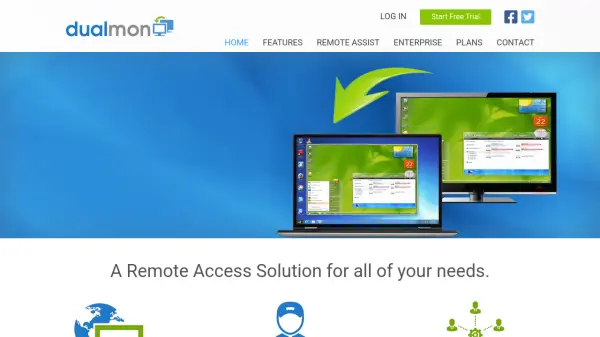
dualmon provides a comprehensive remote desktop access and support solution for individuals, businesses, and enterprises. The platform enables secure remote control, file transfers, screen sharing, and multi-monitor viewing from any device, including smartphones and tablets, without the need for special applications. Built for both unattended and attended remote sessions, dualmon ensures seamless and fast connections for managing servers, providing technical support, and collaborating through web meetings—all through an intuitive web-based interface.
Designed with security and scalability in mind, dualmon supports powerful features such as two-factor authentication, IP whitelisting, and end-to-end encryption, alongside robust user and group management. Custom branding, session recording, and integration with calendars enhance professional workflows. Affordable pricing and flexible plans make dualmon an accessible and effective choice for remote workforce management, IT support, and team collaboration across platforms and organizational sizes.
Features
- Unattended Remote Access: Connect to computers at any time without user intervention
- On-Demand Remote Assistance: Instantly provide support while user is present
- File Transfer: Move files directly between connected devices
- Multi-Monitor Support: View and access computers with multiple monitors
- Mobile Access: Connect via smartphones and tablets without extra apps
- Remote Printing: Print documents from remote locations
- Two-Factor Authentication: Enhanced security for all remote sessions
- IP Whitelisting: Restrict access by location
- Session Recording: Save videos of sessions and meetings
- Cobranding: Customize with your own logo and color scheme
- User Management: Organize users and assign roles
- Usage Reporting: Analyze activity by time, location, and duration
- Collaboration Tools: Screen annotation, snapshots, and web meetings
Use Cases
- Access office or home computers remotely to manage files and applications
- Provide technical support and resolve IT issues for distributed teams or clients
- Remotely administer servers and perform system maintenance
- Host interactive web meetings, demos, and training sessions
- Collaborate with colleagues or clients with real-time screen sharing and annotation
- Monitor and manage point-of-sale (POS) or kiosk systems
- Deploy and control remote assistance sessions from any device without extra software
- Support customers worldwide by diagnosing and fixing issues remotely
FAQs
-
What platforms does dualmon support?
dualmon supports PC, Mac, iOS, and Android devices, allowing users to access and control computers from any of these platforms. -
Is it necessary to install software to join a remote session or meeting?
No installation is required for attendees to join meetings; sessions can be attended directly through a web browser. -
How secure is dualmon remote desktop access?
dualmon provides end-to-end encryption, two-factor authentication, and options like IP whitelisting for enhanced security. -
Can I use dualmon for personal as well as business purposes?
Yes, dualmon plans are suitable for both personal and business use, with free and paid options available. -
Does dualmon offer session recording and reporting features?
Yes, dualmon supports session recording for later review and provides detailed usage reporting by location, time, and duration.