What is dtSearch?
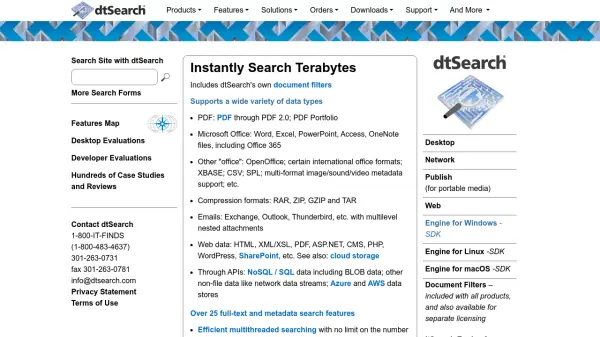
dtSearch offers search solutions for desktop, network, web, and portable media, enabling users to instantly search terabytes of text. It includes proprietary document filters that support formats such as PDF, Microsoft Office files, emails, web data, and compression formats. With over 25 full-text and metadata search features, efficient multithreaded searching, and federated searching with integrated relevancy-ranking, dtSearch provides comprehensive search capabilities across diverse data types.
The dtSearch Engine provides SDKs for C++, Java, and .NET on Windows, Linux, and macOS, allowing developers to integrate search functionality into their applications. Additional features include faceted search, data classification, forensics-oriented search options, and extensive international language support. dtSearch also supports cloud platforms like Azure and AWS, and offers document filter-only licenses.
Features
- Terabyte Indexer: Indexes and searches terabytes of text data instantly.
- 25+ Search Options: Advanced full-text and metadata search capabilities including fuzzy, Boolean, and natural language queries.
- Document Filters: Built-in support for over 150 file types including PDF, Office, emails, and web data.
- Federated Searching: Simultaneously search multiple data sources with unified relevancy ranking.
- Cross-Platform APIs: SDKs for C++, Java, and .NET on Windows, Linux, and macOS.
- Faceted Search: Drill down and filter search results by categories or metadata.
- Data Classification: Granularly filter and classify search results.
- Forensics Search: Specialized options for forensic investigation including hash and credit card pattern matching.
- International Language Support: Full Unicode support for searching in multiple languages.
- Cloud Integration: Works on Azure and AWS platforms.
Use Cases
- Enterprise document search across large data repositories
- Legal discovery and eDiscovery
- Forensic investigations and intelligence gathering
- Technical documentation search
- Financial and commerce data analysis
- Academic research and education
- Content management and retrieval
- Website and intranet search
FAQs
-
What file types does dtSearch support?
dtSearch supports a wide variety of file types including PDF (through PDF 2.0 and PDF Portfolio), Microsoft Office files (Word, Excel, PowerPoint, Access, OneNote), OpenOffice, emails (Exchange, Outlook, Thunderbird), web data (HTML, XML, ASP.NET, WordPress), and compression formats (RAR, ZIP, GZIP, TAR). -
Can dtSearch be integrated into custom applications?
Yes, dtSearch provides SDKs for C++, Java, and .NET on Windows, Linux, and macOS, allowing developers to add search functionality to their applications. -
Does dtSearch support cloud platforms?
Yes, dtSearch works on cloud platforms like Azure and AWS. -
What is the difference between faceted search and data classification?
Faceted search allows users to drill down into search results by categories or metadata, while data classification provides granular filtering of search results based on predefined categories. -
Does dtSearch offer forensic search capabilities?
Yes, dtSearch includes forensics-oriented search options such as hash support and credit card pattern matching.