What is Dreamcast?
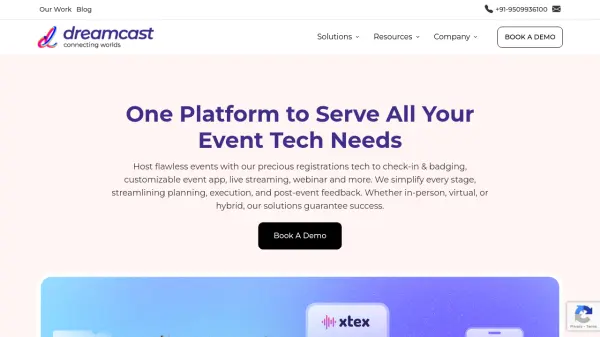
Dreamcast provides a robust suite of technology solutions designed to manage and enhance events across their entire lifecycle. Catering to in-person, hybrid, and virtual formats, the platform offers tools to maximize event impact and return on investment. It supports various event types, including conferences, trade shows, exhibitions, and product launches, across multiple industries.
The platform integrates functionalities such as registration and ticketing, event CRM, WhatsApp automation, virtual meeting platforms, mobile event apps, and expo management. Specific products within the suite include Webinar Plus for hosting online events, Mixhub for creating immersive 3D virtual experiences, a Cashless system for hassle-free on-site payments, Mindmixer for streamlining meetings and communication, and Picbot, an AI-powered tool for efficient photo distribution via facial recognition.
Features
- AI-Powered Photo Distribution (Picbot): Distributes event photos via WhatsApp using facial recognition.
- Cashless Payment System: Enables internet-independent cashless transactions with inventory management.
- Webinar Platform (Webinar+): Host branded webinars with engagement tools, recording, and analytics.
- Virtual Event Platform (Mixhub): Creates 3D immersive virtual events with networking, branding, and analytics.
- Meeting & Communication Platform (Mindmixer): Facilitates 1:1 meetings with screen sharing, whiteboard, and chat.
- Comprehensive Registration & Ticketing: Manages attendee registration and ticketing processes.
- Mobile Event App: Provides attendees with a dedicated mobile application for event interaction.
- On-site Management Solutions: Includes check-in & badging, turnstile access, and facial recognition.
- Event CRM: Manages customer relationship data specific to events.
- Networking & Matchmaking: Tools to facilitate connections between attendees.
Use Cases
- Organizing and managing large-scale conferences and trade shows.
- Hosting immersive virtual exhibitions and career fairs.
- Conducting branded webinars for product launches or educational purposes.
- Facilitating hybrid events combining physical and digital experiences.
- Implementing secure and efficient on-site check-in and access control.
- Managing cashless payment systems for food and merchandise at events.
- Streamlining networking and meeting scheduling for attendees.
- Distributing event photographs efficiently to attendees using AI.