What is DMDE?
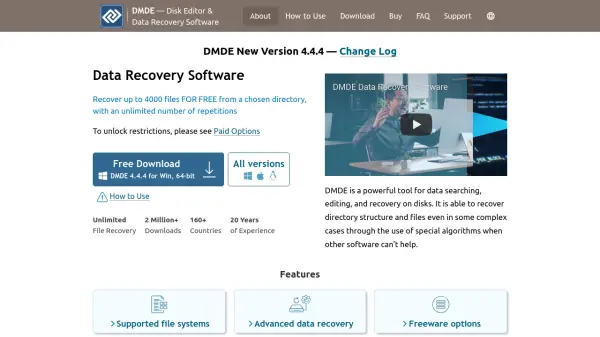
DMDE is a powerful tool for data searching, editing, and recovery on disks. It is designed to recover directory structure and files even in complex cases where other software fails, using special algorithms. The software supports a wide range of file systems including FAT12/16, FAT32, exFAT, NTFS, ReFS, Ext2/3/4, HFS+/HFSX, APFS, and btrfs, and runs on Windows, Linux, macOS, and DOS.
DMDE offers advanced data recovery algorithms that effectively reconstruct directory structures after format, partition manager failures, and other damages. It also includes data recovery by file signatures (Raw-recovery) for cases where file system recovery is not possible. The free version allows recovery of up to 4000 files from a chosen directory with unlimited repetitions. Additional features include a partition manager, RAID constructor, disk cloning, and a disk editor.
Features
- Advanced Data Recovery: Uses special algorithms to recover directory structure and files after complex file system damages.
- File System Support: Works with FAT, NTFS, exFAT, Ext2/3/4, HFS+, APFS, btrfs, and more across different operating systems.
- Free Recovery Option: Recovers up to 4000 files from a chosen directory for free, with unlimited repetitions.
- Partition Manager: Finds and restores accidentally removed partitions using boot sector information.
- RAID Constructor: Virtually reconstructs RAID configurations including RAID-0, RAID-1, RAID-4, RAID-5, RAID-6, and custom striping.
- Disk Cloning: Creates disk images, clones disks, and handles I/O errors with support for E01 image files and resume capability.
- Raw Recovery: Recovers files by file signatures when file system recovery is not possible.
- Disk Editor: Views, edits, and navigates through files and disk structures with custom templates.
- Cluster Map: Finds files occupying specified clusters or sectors.
- Portability: Runs without installation, just extract and run.
Use Cases
- Recovering deleted files from hard drives, SSDs, USB drives, and memory cards.
- Restoring files after accidental formatting or partition deletion.
- Retrieving data from corrupted or damaged storage media.
- Recovering files after virus attacks (where possible).
- Reconstructing RAID arrays and recovering data from RAID systems.
- Creating disk images for forensic analysis or backup.
- Editing disk structures for advanced troubleshooting.
- Recovering data from failing drives with bad sectors.
FAQs
-
What file systems does DMDE support?
DMDE supports FAT12/16, FAT32, exFAT, NTFS, ReFS, Ext2/3/4, HFS+/HFSX, APFS, and btrfs. File system support does not depend on the host OS. -
Can DMDE recover data from a formatted drive?
Yes, DMDE can recover data after format. It uses advanced algorithms to reconstruct directory structure and files even after formatting. -
Is there a free version of DMDE?
Yes, the free version allows recovery of up to 4000 files from a chosen directory with unlimited repetitions. Other free features include preview for common image formats, simple partition manager, disk cloning, and disk editor. -
Does DMDE work on Mac and Linux?
Yes, DMDE is available for Windows, Linux, macOS, and DOS. You can run the software on one OS to recover data from another. -
How does DMDE handle bad sectors?
DMDE's disk cloning feature handles I/O errors by skipping bad sectors and logging them. It supports multiple passes and resuming disk copying.