What is Disk Drill?
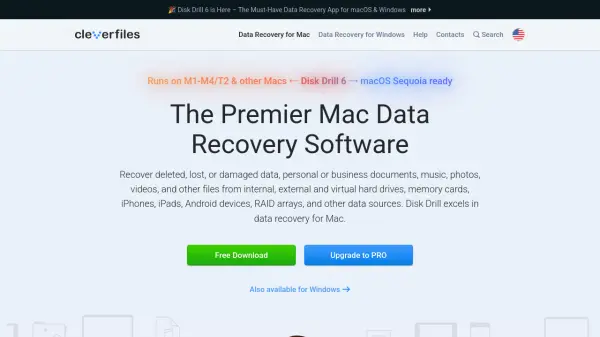
Disk Drill is a comprehensive data recovery tool designed specifically for macOS, enabling users to recover deleted, lost, or damaged files—including documents, music, photos, and videos—from a wide array of storage devices such as hard drives, SSDs, USB drives, memory cards, iPhones, iPads, Android devices, and RAID arrays. Its user-friendly interface simplifies the data recovery process, making it accessible to both novices and experts without requiring technical skills.
Equipped with multiple binary recovery methods, Disk Drill is capable of reconstructing over 400 file types, supports Time Machine backups and snapshots, and provides additional tools for disk health monitoring, cleanup, and data protection. The software is fully compatible with both Intel and Apple Silicon Macs, ensuring reliable data recovery from modern hardware. Alongside these features, Disk Drill offers free tools such as duplicate finder and recovery drive creation, catering to the needs of both professional and home users.
Features
- All File Formats Recovery: Recovers and reconstructs over 400 file types with advanced binary recovery methods.
- Device Compatibility: Supports data recovery from Macs, Windows PCs, iOS, iPadOS, Android devices, external drives, RAID arrays, and more.
- User-Friendly Interface: Designed for both novices and experts with easy, step-by-step recovery and customizable options.
- Deep Scan Technology: Employs powerful scanning algorithms to locate and recover lost data, even from failing or unreadable devices.
- Apple Silicon Support: Fully optimized for Intel and M1–M4 Macs with native support.
- Partition Recovery: Restores lost partitions and data from formatted or unrecognized devices.
- Time Machine Integration: Scans and recovers files from Time Machine backups and local snapshots.
- S.M.A.R.T. Monitoring: Offers free real-time disk health monitoring to prevent data loss.
- Mac Cleanup: Includes tools for analyzing disk space and removing unused files and duplicates.
- Bootable Recovery Drive: Allows creation of a bootable USB for emergency data recovery.
Use Cases
- Recover lost or deleted files from Mac internal or external drives.
- Restore data from accidentally formatted SSDs, USB flash drives, or memory cards.
- Retrieve photos, messages, and contacts from iPhones or Android devices.
- Recover partitions lost to system errors or accidental deletion.
- Scan and restore files from Time Machine backups and local snapshots.
- Monitor disk health to preemptively address storage issues.
- Find and remove duplicate files for efficient storage management.
- Create backup images and bootable drives for disaster recovery.
FAQs
-
Which devices and systems can Disk Drill recover data from?
Disk Drill supports data recovery from Macs, Windows PCs, internal and external hard drives, SSDs, USB drives, memory cards, iPhones, iPads, Android devices, RAID arrays, and virtual hard drives. -
Does Disk Drill work with Apple Silicon Macs?
Yes, Disk Drill is fully optimized for both Intel-based and Apple Silicon (M1, M2, M3, M4) Macs. -
Are additional disk tools included with Disk Drill?
Yes, Disk Drill offers free extra tools for disk health monitoring, cleanup, duplicate finding, data protection, backup, and bootable recovery drive creation. -
Is technical expertise required to use Disk Drill?
No, Disk Drill is designed with a user-friendly interface suitable for both beginners and experts, with step-by-step instructions and customizable options. -
Can I recover permanently deleted files with Disk Drill?
Yes, Disk Drill can recover permanently deleted files by scanning disks, including Time Machine backups and snapshots.