What is DICloak?
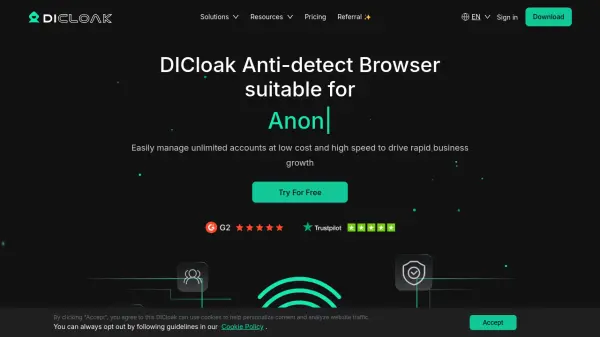
DICloak is an anti-detect browser leveraging artificial intelligence to facilitate the seamless and secure management of unlimited online accounts within a single platform. Its core strength lies in isolating browser profiles for improved privacy, stability, and the prevention of account bans—ideal for professionals handling e-commerce, social media marketing, web scraping, affiliate marketing, and advertising.
With DICloak, users benefit from advanced browser fingerprinting, robust RPA automation capabilities, and flexible proxy configurations to switch IPs in real-time. AI-driven features enhance team collaboration, supporting permission management, data isolation, and the sharing of profiles among team members, making it an essential productivity tool for modern digital operations.
Features
- AI Browser Fingerprinting: Automatically generates real browser fingerprints for secure profile management.
- Independent Browser Profiles: Isolates each account to prevent cross-tracking and enhance privacy.
- Flexible Proxy Configuration: Supports multiple proxy types for real-time IP switching.
- Team Collaboration: Offers multi-user support, permission management, and data isolation.
- RPA Automation: Provides batch operations and customizable RPA scripts to automate repetitive tasks.
- Batch Profile Operations: Allows import, creation, updating, export, and clone operations in bulk.
- Extension Support: Enables browser extensions to improve workflow efficiency.
- Multi-Device Access: Supports secure login and operations across multiple devices.
- Cloud Sync: Ensures profile data and settings are synchronized and backed up online.
- Open API (for internal use): Integrates business workflows (feature available for select plans).
Use Cases
- Managing multiple social media marketing accounts securely from a single browser.
- Running several e-commerce store accounts without risk of bans or cross-contamination.
- Conducting large-scale web scraping tasks with distinct identities for each project.
- Performing affiliate marketing operations across various platforms using separate profiles.
- Executing diversified online advertising strategies and A/B ad account testing.
- Coordinating remote teams for multi-account campaigns with secure data isolation.
- Automating repetitive login and account management tasks via RPA scripts.
FAQs
-
Does DICloak offer a free trial?
Yes, DICloak provides a free plan with limited features so users can try out the core functions before upgrading to paid plans. -
Can I modify my subscription plan?
Yes, DICloak allows users to change their subscription plans at any time without restrictions. -
What are the payment options for DICloak?
DICloak accepts major payment methods including PayPal, VietinBank Visa, Mastercard, and cryptocurrencies like Bitcoin, USDT, USDC, and ETH. -
Which plan is suitable for teams?
The Share Plan and Share+ Plan are designed for teams, offering flexible member addition and up to unlimited profiles based on the chosen subscription.