CustomerPing favicon

CustomerPing
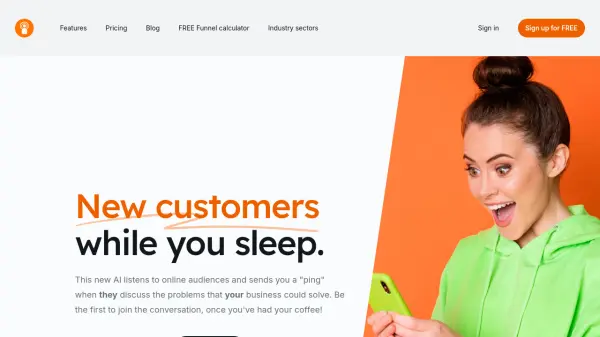
New customers while you sleep.

What is CustomerPing?

CustomerPing is an AI-powered tool designed to automate the process of finding new customers. It continuously monitors online forums and discussions, identifying potential leads based on the problems they express that align with your business's solutions.

The AI analyzes forum content and ranks it against your predefined criteria, ensuring that you are only notified about the most relevant conversations. This allows you to proactively engage with potential customers and join conversations where your expertise can provide value.

Features

  • Radar Setup: Configure the AI by specifying relevant forums and business details.
  • AI-Powered Ranking: The AI assesses and ranks forum articles based on your defined interests.
  • Real-time Notifications: Receive 'pings' via RSS feed on multiple platforms (mobile, Slack, Notion, email) when a relevant discussion is found.
  • Automated Prospecting: Continuously searches for potential customers without manual forum monitoring.

Use Cases

  • Identifying potential customers in online forums.
  • Automating lead generation by monitoring relevant discussions.
  • Receiving real-time notifications about sales opportunities.
  • Engaging with prospects directly in relevant online conversations.
  • Streamlining customer acquisition efforts.

Related Tools:

Blogs:

  • AI Testimonial Videos: How to Build Social Proof That Actually Converts

    AI Testimonial Videos: How to Build Social Proof That Actually Converts

    AI testimonial videos are transforming marketing in 2026 by helping businesses create professional customer-style videos quickly and affordably. Using real customer reviews, short scripts, and AI tools like Pollo AI, brands can produce engaging testimonials for social media, landing pages, and ads while saving time and improving conversions.

  • Top 6 AI note-taking tools for 2026: in-person, online, and hybrid use cases

    Top 6 AI note-taking tools for 2026: in-person, online, and hybrid use cases

    Most AI note-taking lists are really lists of meeting bots, which join your video call and transcribe it. That's useful, but it's half the picture. Decisions happen in hallway conversations, client dinners, on-site visits, and hybrid rooms where nobody is on a video link. This guide covers different parts of the note-taking workflow: hardware capture for in-person settings, platform-native tools for online calls, and AI layers for organizing and synthesizing what you've captured. It compares six tools by capture context, workflow fit, pricing, and limitations.

Didn't find tool you were looking for?

Be as detailed as possible for better results