CurrencyAPI favicon

CurrencyAPI
Real-time and historical currency exchange rates API for developers

What is CurrencyAPI?

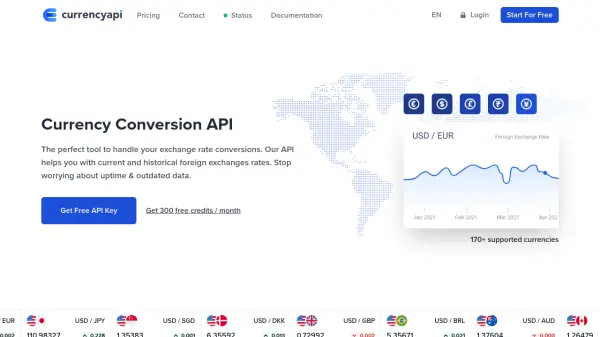
CurrencyAPI offers a comprehensive currency conversion API that delivers real-time and historical foreign exchange rates for over 170 world currencies and cryptocurrencies. The service features a RESTful architecture with updates every 60 seconds, ensuring developers have access to the most current data for their applications.

Built with developers in mind, the API includes extensive documentation, REST clients, pre-built integrations, and a Postman collection for easy implementation. It supports multiple programming languages including CURL, PHP, Node, and Java, making it versatile for various development environments.

Features

  • 170+ Supported Currencies: Comprehensive coverage of world currencies and cryptocurrencies
  • Real-time Updates: Exchange rates updated every 60 seconds for all major currency pairs
  • Historical Data: Access to historical exchange rates for past dates
  • Developer-Friendly: REST API with extensive documentation and multiple client libraries
  • High Reliability: Infrastructure handling millions of requests per day with 99.99% uptime

Use Cases

  • E-commerce stores offering local currency pricing to international customers
  • Spreadsheets requiring accurate live and historical exchange rate data
  • Analytics platforms unifying international revenue data into local currencies
  • Financial applications needing real-time currency conversion
  • Travel websites displaying prices in multiple currencies

FAQs

  • What is the uptime guarantee for the CurrencyAPI service?
    The API has maintained 99.99% uptime throughout the last 12 months, with current status available on their Status Page.
  • Where does the currency data come from?
    All currency data is sourced from multiple financial data providers and international banks to ensure accuracy and reliability.
  • Can I cancel my subscription at any time?
    Yes, subscriptions can be cancelled at any time directly from your dashboard in less than 30 seconds.
  • What happens if I need more than 1,700,000 requests per month?
    For higher volume needs, you can contact their team to create a custom plan tailored to your specific requirements.

Helpful for people in the following professions

Related Tools:

Blogs:

  • Best AI Tools For Startups

    Best AI Tools For Startups

    we've compiled a straightforward list of user-friendly AI tools designed to give startups a boost. Discover practical solutions to streamline everyday tasks, enhance productivity, and gain valuable insights without the need for a tech expert. Learn where and how these tools can be applied in your startup journey, from automating repetitive tasks to unlocking powerful data analysis. Join us as we explore the features that make these AI tools accessible and beneficial for startups in various industries. Elevate your business with technology that works for you!

  • Best AI tools for recruiters

    Best AI tools for recruiters

    These tools use advanced algorithms and machine learning to automate tasks such as resume screening, candidate matching, and predictive analytics. By analyzing vast amounts of data quickly and efficiently, AI tools help recruiters make data-driven decisions, save time, and identify the best candidates for open positions.

  • Top AI tools for Teachers

    Top AI tools for Teachers

    Explore the top AI tools designed for teachers, revolutionizing the education landscape. These innovative tools leverage artificial intelligence to enhance teaching efficiency, personalize learning experiences, automate administrative tasks, and provide valuable insights, empowering educators to create engaging and effective educational environments.

  • Top 6 AI note-taking tools for 2026: in-person, online, and hybrid use cases

    Top 6 AI note-taking tools for 2026: in-person, online, and hybrid use cases

    Most AI note-taking lists are really lists of meeting bots, which join your video call and transcribe it. That's useful, but it's half the picture. Decisions happen in hallway conversations, client dinners, on-site visits, and hybrid rooms where nobody is on a video link. This guide covers different parts of the note-taking workflow: hardware capture for in-person settings, platform-native tools for online calls, and AI layers for organizing and synthesizing what you've captured. It compares six tools by capture context, workflow fit, pricing, and limitations.

Didn't find tool you were looking for?

Be as detailed as possible for better results