Creative Fast AID favicon

Creative Fast AID
Generate Campaign Ideas for NGOs and Brands in Minutes

What is Creative Fast AID?

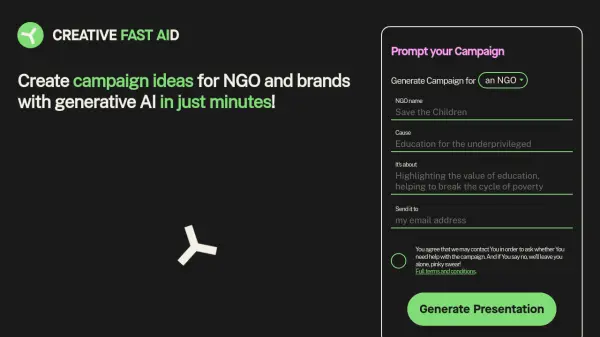
Creative Fast AID is an innovative tool designed to help NGOs and brands quickly generate creative campaign ideas. Leveraging the power of generative AI, it produces a diverse range of concepts based on input provided by the user.

The AI model is trained on common creative mechanics and TRIAD agency's most successful campaigns, ensuring high-quality and impactful results. Users receive 15 distinct campaign ideas, conveniently packaged in a PDF presentation delivered directly to their email inbox.

Features

  • Generative AI: Utilizes AI to create campaign ideas.
  • 15 Idea Output: Provides 15 unique campaign concepts per request.
  • PDF Presentation: Delivers results in a well-formatted PDF document.
  • Email Delivery: Sends the presentation directly to the user's email.
  • Targeted for NGOs and Brands: Designed specifically for non-profit organizations and commercial brands.

Use Cases

  • Brainstorming new marketing campaigns
  • Developing creative concepts for NGO initiatives
  • Generating advertising ideas for brand products or services
  • Rapid idea generation for marketing presentations

Related Tools:

Blogs:

  • AI Testimonial Videos: How to Build Social Proof That Actually Converts

    AI Testimonial Videos: How to Build Social Proof That Actually Converts

    AI testimonial videos are transforming marketing in 2026 by helping businesses create professional customer-style videos quickly and affordably. Using real customer reviews, short scripts, and AI tools like Pollo AI, brands can produce engaging testimonials for social media, landing pages, and ads while saving time and improving conversions.

  • Top 6 AI note-taking tools for 2026: in-person, online, and hybrid use cases

    Top 6 AI note-taking tools for 2026: in-person, online, and hybrid use cases

    Most AI note-taking lists are really lists of meeting bots, which join your video call and transcribe it. That's useful, but it's half the picture. Decisions happen in hallway conversations, client dinners, on-site visits, and hybrid rooms where nobody is on a video link. This guide covers different parts of the note-taking workflow: hardware capture for in-person settings, platform-native tools for online calls, and AI layers for organizing and synthesizing what you've captured. It compares six tools by capture context, workflow fit, pricing, and limitations.

Didn't find tool you were looking for?

Be as detailed as possible for better results