What is Cool Record Edit Pro?
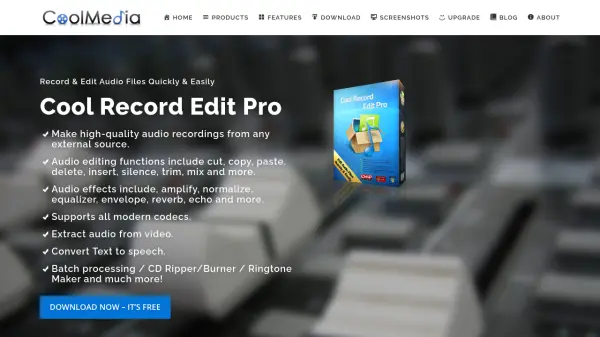
Cool Record Edit Pro provides a versatile platform for audio recording and editing, allowing users to capture sound from multiple sources such as microphones, streaming audio, and external devices. The software includes a range of editing functions like cut, copy, paste, delete, and trim, along with audio effects such as amplify, normalize, equalizer, and reverb. It supports all modern codecs and offers features for extracting audio from video, converting text to speech, and batch processing up to 32,000 files.
Users can enhance audio with various effects and filters, create music CDs, and generate ringtones. The interface is designed for ease of use with customizable options, hotkeys, and a three-step operation process. Additional capabilities include CD ripping, YouTube video downloading, and merging audio files, making it a comprehensive tool for audio professionals and enthusiasts alike.
Features
- Record Audio from Any Input: Capture sound from microphones, streaming audio, and external devices losslessly
- Edit Audio Files: Perform operations like cut, copy, paste, delete, and trim with millisecond-level precision
- Enhance Audio with Effects: Apply effects such as amplify, normalize, equalizer, reverb, and echo with real-time preview
- Convert Text to Speech: Input text and convert it to spoken audio in human voice for saving or insertion into tracks
- Batch Processing: Process up to 32,000 audio files simultaneously for effects application and format conversion
- Extract Audio from Video: Save audio from videos, including songs from music videos or movies
- Create Music CDs: Burn audio files to CDs with editable CD text and adjustable burning speeds
- Support All Key Formats: Compatible with MP3, WAV, OGG, AIF, and other major audio formats
Use Cases
- Recording podcasts or voiceovers from microphones or streaming sources
- Editing audio tracks for music production or sound design projects
- Creating personalized ringtones from favorite songs or audio clips
- Converting text documents into audio files for accessibility or narration purposes
- Extracting audio from video files to save as standalone music or sound effects
- Batch processing large collections of audio files for format conversion or enhancement
- Burning custom music CDs for personal use or distribution
- Reducing noise and applying effects to improve audio quality in recordings
FAQs
-
What operating systems does Cool Record Edit Pro support?
It runs on Windows XP through Windows 10. -
Can I record audio from internet streaming sources?
Yes, it can record audio from streaming audio, media players, and other online sources. -
Does the software support batch processing of audio files?
Yes, it supports batch processing for up to 32,000 files for effects and conversion. -
Is there a cost to use Cool Record Edit Pro?
No, it is completely free with no limitations or sign-up required. -
Can I create ringtones with this software?
Yes, you can create personalized ringtones using the editing features and audio effects.