
What is Continual Engine?
Continual Engine offers award-winning, AI technology-enabled accessibility solutions, putting people at the center. The company's mission is to build smarter, affordable, and scalable solutions to enable organizations to make the process of content accessibility more precise and efficient. Powered by deep learning, computer vision, and other sophisticated artificial intelligence (AI) algorithms, Continual Engine's solutions specialize in addressing complex content of any kind to ensure lower costs, faster time to market, and the highest quality standards.
Continual Engine aims to make digital experiences work for everyone, regardless of their abilities. The accessibility solutions enable educational institutions, publishers, and businesses to offer inclusive access to digital content through customized services, Software-as-a-Services (SaaS) model, APIs, and cloud-based subscriptions.
Features
- Document Remediation: Automates document remediation for PDFs, Word files, scanned pages and more.
- Video Closed Captioning & Audio Descriptions: Expedites & automates full video accessibility (Closed captions, extended audio descriptions & transcripts).
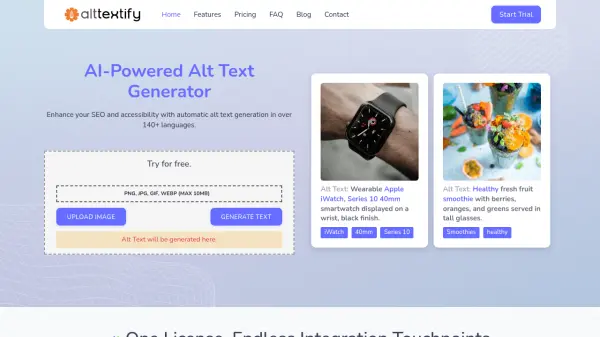
- Image Alt Text Accessibility: Generates high-quality alt text for diverse images across multiple disciplines.
- Website Accessibility: Optimizes websites for universal access with expert-driven accessibility solutions.
- PPT Accessibility: Automates accessibility for PowerPoint slides or presentations.
- Accessibility for Online Courses and Training: Transforms online courses and training using AI-enhanced, accessible course content.
Use Cases
- Making educational materials accessible to students with disabilities.
- Ensuring website compliance with accessibility standards (WCAG, ADA, Section 508).
- Generating alt text for images in publications and online content.
- Creating accessible video content with captions and audio descriptions.
- Remediating documents to meet accessibility guidelines.
- Transforming online courses to be accessible.
FAQs
-
What is your goal?
Accessible PDFs and Documents, Accessible Images/Alt-Text, Accessible Website, Accessible PPT, Accessible Videos, Accessible Online Courses. -
What are your biggest challenges?
Time, Scale, Cost, Accuracy, Precision, Language.