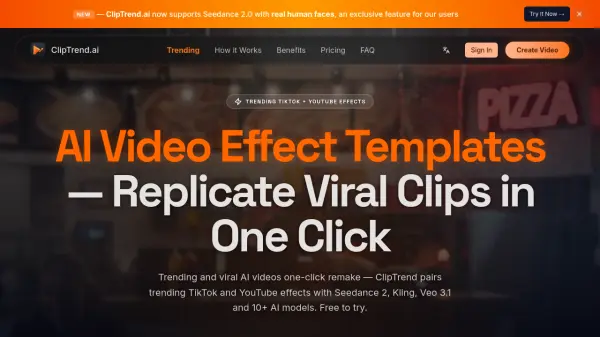
What is ClipTrend.ai?
Features
- Viral Effect Templates: Pre-tuned one-click templates mirroring real trending TikTok and YouTube effects, updated daily with live view and like count data.
- 10+ AI Models in One Workspace: Aggregates Seedance 2, Kling 3.0, Veo 3.1, Wan 2.7, Nano Banana Pro, Grok Imagine, Ideogram 3.0, GPT Image 2, and more under a single credit currency.
- Motion Vault: Paste any TikTok URL to extract its motion style, save it to your action library, and remix it across any character or template.
- Real Human Face Support: Seedance 2 accepts recognizable human photos as reference input, maintaining identity consistency across every frame without blur or mosaic.
- Transparent Credit Pricing: Every template card shows its exact credit cost before generation, with automatic refunds on failed renders and no hidden fees.
- Multi-Modal Input: Supports image (JPG, PNG), video (MP4, MOV), and text prompt inputs for AI video generation.
- Commercial License: All paid generations are watermark-free and cleared for commercial use including ads, client work, and sponsored posts.
- Surprise Me & Batch Runs: Auto-generates curated prompt options and allows stacking runs to produce multiple unique takes of the same viral effect.
Use Cases
- Creating viral dance videos by pairing a selfie with trending AI dance effect templates for TikTok or YouTube Shorts
- Replicating viral TikTok clips by pasting a URL into Motion Vault and remixing the motion style with custom characters
- Generating AI transformation videos such as apocalypse warrior or monster slayer effects from a single photo
- Producing commercial-safe short-form video ads and branded content using watermark-free AI video outputs
- Animating still photos into engaging video clips using Kling 3.0, Seedance 2, or Veo 3.1 image-to-video pipelines
- Generating AI text-to-video cinematic clips using Veo 3.1 or Kling 3.0 with a simple text prompt
- Creating AI animal and creature videos such as night zoo CCTV or wildlife story effects for social media
- Producing AI couple or face swap videos for social media content and creator-economy projects
- Testing multiple AI video models side by side for a single brief without stacking multiple platform subscriptions
- Generating a series of similar-but-not-identical viral video takes for consistent creator output across a content calendar
How It Works
Browse Trending Templates
Visit the ClipTrend gallery and explore the library of AI video effect templates, each backed by a real viral TikTok or YouTube clip with live view and like count data. Browsing is completely free with no account required.
Select an Effect and Upload Your Input
Choose a trending effect such as a dance, transformation, animal, or creative clip. Upload a selfie, photo, or short video clip as your reference input — or type a text prompt for text-to-video generation.
Generate Your Video
Click Generate. ClipTrend automatically routes your render to the best-fit AI model for that trend (e.g., Seedance 2, Kling 3.0, or Veo 3.1) and delivers a social-ready MP4 in 30 to 60 seconds. Credits are consumed only on successful generations; failed renders are refunded automatically.
Download and Share
Download your watermark-free 1080p HD MP4 with full commercial rights and share it directly to TikTok, YouTube Shorts, Instagram Reels, or use it in paid advertising and client campaigns.
FAQs
-
Is ClipTrend free to use?
ClipTrend allows free browsing of the full template catalog and preview of all viral TikTok and YouTube reference clips. However, generating videos requires credits, which can be purchased via a one-time credit pack starting at $11.99 or a monthly subscription starting at $14 for the first month (50% off). There is no free credit giveaway on signup. -
Do unused credits roll over?
Subscription credits (Monthly and Yearly) refresh each month and unused amounts do not roll over. However, one-time credit pack credits carry a 2-year expiry from the date of purchase and are not reset by subscription cycles. Many creators use both a subscription for steady output and a credit pack as a top-up buffer. -
What AI models does ClipTrend use?
ClipTrend aggregates 10+ leading AI models including Seedance 2, Kling 3.0, Veo 3.1, Wan 2.7, Nano Banana Pro, Grok Imagine, Ideogram 3.0, GPT Image 2, and Wan Animate, all accessible under a single credit currency without stacking separate subscriptions. -
Can I use ClipTrend outputs for commercial purposes?
Yes. All paid credit generations on ClipTrend produce watermark-free MP4 exports with a full commercial license. These outputs are suitable for sponsored posts, paid advertising, client work, monetized YouTube Shorts, and brand campaigns. -
What is the Motion Vault feature?
Motion Vault allows users to paste any TikTok video URL into ClipTrend. The platform extracts and saves the motion style from that clip to your personal action library, which you can then remix across any character or template to create similar-but-not-identical viral video takes.