What is ClickLearn?
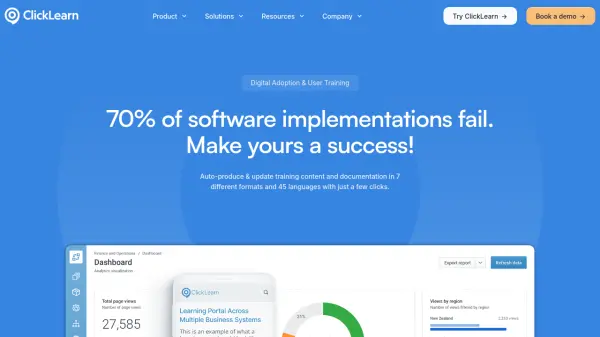
ClickLearn functions as a Digital Adoption Platform designed to streamline software implementation and user training processes. The platform captures work processes within enterprise software applications through simple click-through recordings, then automatically transforms these recordings into comprehensive training materials and documentation.
The system generates content in seven different formats including Word documents, PDFs, PowerPoint presentations, and interactive videos, while supporting automatic translation into more than 45 languages. It maintains documentation currency through automatic updates and provides on-screen guidance directly within applications through the User eXperience Panel feature.
Features
- Process Capture: Automatically records work processes through click-through interactions in software applications
- Multi-format Content Generation: Produces training materials in 7 formats including Word, PDF, PowerPoint, and interactive videos
- Multi-language Support: Automatically translates content into more than 45 languages
- Automatic Updates: Keeps documentation and training materials current with automatic synchronization
- In-Application Guidance: Provides on-screen assistance through the User eXperience Panel directly within business applications
- Cross-Platform Compatibility: Works with various enterprise systems including Dynamics 365, Salesforce, SAP, Oracle, and custom applications
- eLearning Portal: Creates customizable learning portals that organize all training materials and documentation
Use Cases
- Software implementation and user adoption for enterprise systems
- Employee training and onboarding for new software applications
- Process documentation creation and maintenance
- Digital transformation initiatives requiring user training
- Change management during system upgrades or migrations
- Compliance documentation for software processes
- Global software rollouts requiring multi-language support
FAQs
-
What types of software does ClickLearn integrate with?
ClickLearn supports most popular business systems including Microsoft Dynamics 365, NAV, CRM, and AX; Microsoft 365, Power Platform, and SharePoint; IFS, SAP, Oracle, Salesforce and Acumatica applications; as well as custom Windows and web applications. -
Who typically uses ClickLearn within organizations?
ClickLearn is used by management professionals like CIOs/CTOs driving digital transformation projects, developers and ERP/CRM specialists implementing systems, and training professionals including authors and training managers creating user training experiences. -
How does ClickLearn help with software implementation success?
ClickLearn addresses the common failure point of poor user adoption by automating the creation of training materials and documentation, providing in-application guidance, and supporting multiple languages to ensure users can effectively adopt new software systems.