

What is Chronotek?
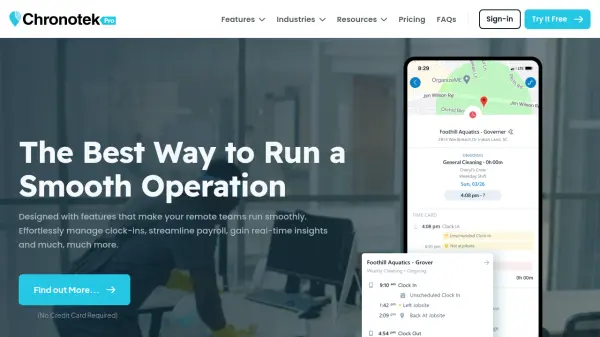
Chronotek Pro is a comprehensive workforce management platform designed for businesses with remote and mobile employees. It combines GPS time tracking, scheduling, team messaging, and real-time job costing into one easy-to-use application. The system provides live GPS data to verify employee locations during clock-ins, with features like Left-Job Alerts and TimeTiles to ensure accurate time cards.
Chronotek Pro also includes powerful scheduling tools with alerts for late and no-show employees, HR and payroll features such as auto-flagged time card issues and payroll previews, and real-time labor cost tracking against budgets. It serves industries like janitorial, security, construction, property management, and human services. The software is available on iOS and Android apps for field supervisors and employees, with full administrative control via a web browser.
Features
- GPS Time Tracking: Track employee hours and locations in real time with GPS verification and TimeTiles.
- Scheduling: Optimize shifts with flexible schedules, late and no-show alerts, and scheduled travel and overtime.
- Messaging: Communicate with team members via private messaging, announcements, must-read messages, and language translation.
- HR & Payroll: Auto-flag time card issues, preview payroll totals, lock pay periods, and export to payroll companies.
- Real-Time Job Costing: Monitor live labor costs, travel and overtime, compare actual vs. schedule, and see auto-profit predictions.
Use Cases
- Track time and location of remote janitorial staff using GPS.
- Schedule and manage security guards across multiple sites.
- Monitor caregiver visits for human and social services.
- Control labor costs on construction projects in real time.
- Manage student program attendance via landline or GPS.
- Coordinate property maintenance work orders and track labor.
- Oversee lifeguard schedules and pool coverage.
FAQs
-
How does GPS time tracking work?
Employees clock in and out using the Chronotek Pro mobile app, which records their GPS location. The system requires GPS to be on-site and can alert managers if an employee leaves the job site early. -
Can I integrate Chronotek with my payroll software?
Yes, Chronotek Pro offers payroll exports to popular payroll companies, allowing you to transfer time card data seamlessly. -
Is there a free trial?
Yes, Chronotek Pro offers a 14-day free trial with a $100 voucher to test the platform. No credit card is required to start. -
What industries is Chronotek best suited for?
Chronotek is designed for industries with remote or mobile workforces, such as janitorial services, security, construction, property management, lifeguards, human services, and student programs. -
Can employees use the app on their own phones?
Yes, employees can download the Chronotek Pro app on iOS and Android devices to clock in, view schedules, and receive messages.