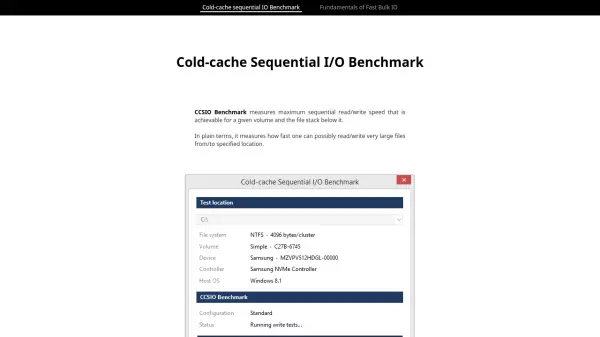
What is CCSIO Benchmark?
CCSIO Benchmark is a free and lightweight utility for Windows that measures the maximum sequential read and write speeds achievable on any storage volume. It systematically tests hundreds of combinations of buffer size, buffer count, and caching mode to find the optimal parameters for your specific hardware and file stack.
Whether you are assessing a local SSD, an HDD, a remote network share, a RAM disk, or an encrypted file container, CCSIO Benchmark provides accurate throughput measurements by flushing the system cache before each test and using a large test file. The benchmark runs 285 tests in about five minutes and presents the highest read/write speeds for each device.
Features
- Comprehensive Parameter Testing: Tests 12 buffer sizes (8K to 16M), 5 buffer counts (1 to 16), and 3 IO modes (unbuffered, unbuffered sequential, buffered sequential) for a total of 300 test combinations.
- Cold Cache Benchmarking: Flushes Windows file cache (Standby List) before each test to ensure measurements reflect cold-cache performance.
- Multi-Device Support: Works with local drives, remote network shares, RAM disks, and encrypted file containers (e.g., TrueCrypt).
- Fast Execution: Runs 285 tests in approximately 5 minutes with a 1-second duration per test.
- Portable and Lightweight: Single executable file of 238 KB, no installation required, works on Windows Vista and newer.
- Test File Management: Creates a 2GB test file (or smaller if needed) with random data for SSDs and remote volumes, and uses fast valid data length for other devices.
Use Cases
- Benchmarking local SSD and HDD sequential read/write performance.
- Assessing the performance of network-attached storage (NAS) or remote file shares.
- Comparing throughput of RAM disks vs. physical drives.
- Evaluating speed impact of encrypted containers (e.g., TrueCrypt, BitLocker) on storage performance.
- Optimizing buffer size and count settings for custom file I/O applications.
FAQs
-
What operating systems does CCSIO Benchmark support?
CCSIO Benchmark requires Windows Vista or newer. -
How long does a full benchmark take?
A full benchmark runs about 285 tests and typically completes in approximately 5 minutes. -
Can I test network drives or RAM disks?
Yes, CCSIO Benchmark supports local drives, remote network shares, RAM disks, and encrypted file containers. -
What is the test file size?
By default, the test file is 2GB. A smaller file may be used for volumes with low write speeds. -
Does the tool require installation?
No, CCSIO Benchmark is a portable single executable file (238 KB) that does not require installation.