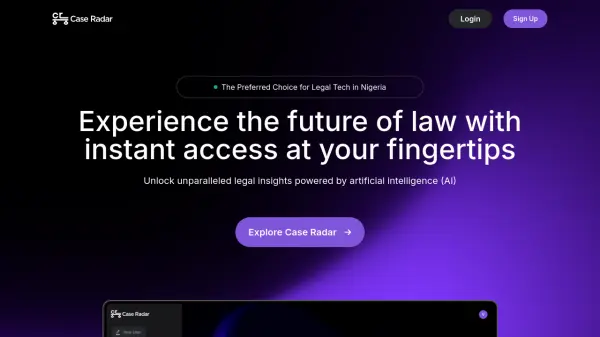
What is CaseRadar?
CaseRadar leverages artificial intelligence to streamline the creation of impactful marketing collateral from customer video interviews. This platform automates the time-consuming process of analyzing interview footage, identifying key insights, and drafting persuasive content. Users can either conduct interviews directly within the platform or upload existing video recordings.
Once uploaded, CaseRadar's AI gets to work, transcribing the audio, analyzing the content for significant themes, and generating initial drafts for case studies, testimonials, and shareable video clips. The tool provides an intuitive editor, allowing teams to easily review, refine, and customize the AI-generated materials or build assets from the ground up using various templates. This significantly reduces the turnaround time for producing valuable customer stories, enabling businesses to showcase social proof more efficiently.
Features
- AI-Powered Analysis: Automatically transcribes, analyzes themes, and drafts content from video interviews.
- Multi-Asset Generation: Creates case studies, video testimonials, social clips, and written testimonials from a single interview.
- Customizable Templates: Offers a library of templates for various marketing assets.
- Intuitive Editor: Allows users to easily edit AI drafts or create content manually.
- Multiple Export Formats: Supports export as PDF, web links, and video files.
- Collaboration Tools: Enables team members to work together on projects.
- Integration Capabilities: Connects with tools like Zapier (Hubspot & Salesforce planned).
Use Cases
- Generating marketing case studies from customer interviews.
- Creating video testimonials for websites and social media.
- Producing short, shareable social media clips featuring customer quotes.
- Extracting written testimonials and key insights from video conversations.
- Accelerating content creation for marketing campaigns.
- Streamlining the workflow for sales enablement materials.
- Repurposing customer interview content for multiple channels.
FAQs
-
What kind of video files can I upload to CaseRadar?
CaseRadar supports common video formats like MP4, MOV, and AVI for uploading your customer interviews. -
How accurate is the AI transcription and analysis?
The platform utilizes advanced AI for high accuracy in transcription and analysis, and the technology is continuously improved. -
Can I customize the appearance of the case studies and testimonials?
Yes, CaseRadar offers customization options and templates to tailor the look and feel of your generated marketing assets. -
What integrations does CaseRadar offer?
CaseRadar currently integrates with Zapier, allowing connections to many other apps. Integrations with Hubspot and Salesforce are planned for the future. -
Is the data I upload to CaseRadar secure?
Yes, CaseRadar prioritizes data security and compliance to ensure your uploaded interviews and generated content are protected.