What is CaptainA?
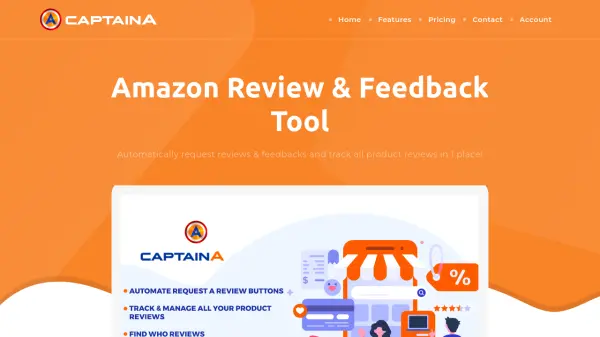
CaptainA is an advanced Amazon seller tool designed to streamline review management and boost seller performance. This AI-powered platform automatically requests product reviews and seller feedback through Amazon's native system, ensuring compliance with Amazon's Terms of Service while reaching all customers, including those who have opted out of third-party emails.
The tool provides comprehensive review tracking across all products, allowing sellers to monitor new reviews, sort them, and search by product title or ASIN. Additional features include hijacker and Buy Box status tracking with alerts, advanced reporting with activity logs, and a refund calculator to identify Amazon reimbursements for lost or damaged inventory.
Features
- Auto Request Review: Automatically requests reviews from eligible orders without manual clicking
- Review Tracking: Shows all product reviews in one place with search and sort capabilities
- Hijacker & Buy Box Tracker: Monitors listings for hijackers and Buy Box status changes with alerts
- Advanced Settings: Allows selective review requests by ASIN and positive feedback filtering
- Refund Calculator: Identifies Amazon reimbursements for lost or damaged inventory
Use Cases
- Automating Amazon review requests to save time
- Increasing product review volume to boost sales
- Monitoring product reviews across multiple listings
- Tracking hijackers and Buy Box status changes
- Identifying Amazon reimbursements for inventory issues
FAQs
-
How does CaptainA handle refunded orders?
CaptainA cancels review requests for refunded orders immediately to avoid potential negative reviews. -
Can I use CaptainA for all Amazon marketplaces?
Yes, CaptainA works with all Amazon marketplaces worldwide including US, Canada, Mexico, UK, Germany, Italy, France, Spain, Turkey, Japan, India, China, and Australia. -
What happens if an order is not eligible for review yet?
CaptainA periodically checks ineligible orders and requests reviews at the right time when they become eligible (4-30 days after delivery). -
How do I connect my Amazon seller account to CaptainA?
Create an account, connect to Seller Central using MWS connection via the green Connect button, and follow the Installation Wizard steps.