What is Buglet?
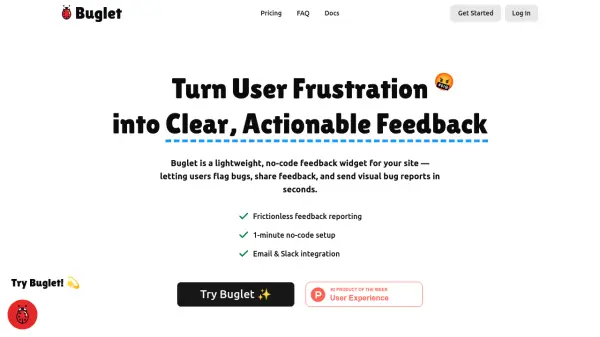
Buglet is a lightweight, no-code feedback widget designed to capture user frustration and transform it into actionable insights. It allows users to flag bugs, share feedback, and send visual bug reports in seconds, bundling user text, screenshots, and device diagnostics into clean reports. This eliminates guesswork and helps teams address issues promptly.
The tool integrates seamlessly with email and Slack, routing reports directly to where teams operate. It offers customization options to match brand colors and styling, ensuring a cohesive look on any website. Buglet works across all devices, from desktop to mobile, and can be triggered by any button with a simple CSS class, making it versatile for various web applications.
Features
- No-Code Setup: 1-minute installation without coding required
- Visual Bug Reports: Capture screenshots and device diagnostics with user feedback
- Real-Time Integration: Send reports via email and Slack for instant alerts
- Customization: Adjust colors and styling to match brand identity
- Cross-Device Compatibility: Works on desktop and mobile with customizable triggers
Use Cases
- Capturing user-reported bugs on websites to reduce churn
- Gathering visual feedback for UX improvements on SaaS applications
- Streamlining bug reporting for indie developers managing multiple projects
- Enhancing customer support with detailed bug reports and diagnostics
- Monitoring site issues in real-time for e-commerce platforms to boost conversions
FAQs
-
How does the Buglet bug reporting widget work?
Users click the widget to report bugs, which captures text, screenshots, and device diagnostics, then sends reports via email, Slack, or dashboard. -
Do I need to code anything?
No, Buglet offers a 1-minute no-code setup for easy installation. -
Does Buglet integrate with Slack?
Yes, Buglet integrates with Slack to send real-time alerts for bug reports. -
Does Buglet work on mobile?
Yes, Buglet is compatible with mobile devices and can be customized with CSS rules. -
Does Buglet collect user diagnostics?
Yes, Buglet bundles device diagnostics with bug reports to provide comprehensive insights.