What is Break in Motion?
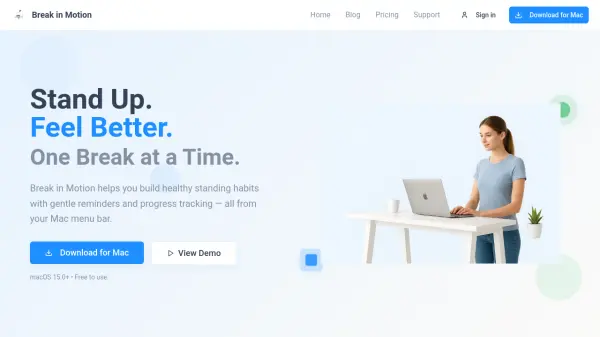
Break in Motion is a macOS application designed to help professionals build healthier standing habits while working. It uses gentle, non-intrusive reminders to encourage regular movement breaks, customizable from 5 to 55 minutes. The app tracks your progress over time, featuring achievement badges, streak counters, and visual history with calendar views. It integrates seamlessly into the Mac menu bar, supports iCloud sync across devices, and offers both light and dark modes. Break in Motion aims to transform work habits into a playful and rewarding wellness journey.
Features
- Customizable Reminder Intervals: Set reminders from 5 to 55 minutes.
- iCloud Sync: Sync progress across multiple Mac devices.
- Achievement Badges: Unlock badges for consistent standing habits.
- Visual History: Track standing patterns with calendar views.
- Progress Rings: Visual progress tracking inspired by Apple's Activity rings.
- Streak Building: Maintain momentum with streak counters.
- Energy Insights: See how regular movement improves focus and energy.
- Menu Bar Integration: Access stats and settings without dock clutter.
- Light & Dark Mode: Adapts to system preferences.
- Progressive Levels: Challenge yourself with increasing difficulty.
Use Cases
- Reduce prolonged sitting during work hours.
- Build a consistent standing routine.
- Track daily movement and standing progress.
- Stay motivated with achievements and streaks.
- Sync standing habits across multiple Macs.
FAQs
-
What is Break in Motion and how does it work?
Break in Motion is a macOS app that helps you build healthy standing habits. It sends gentle, customizable reminders to stand and move at intervals you choose, tracks your progress with achievements and streaks, and syncs across your Macs via iCloud. -
How often should I stand during the day?
Break in Motion allows you to set reminders from 5 to 55 minutes. Experts often recommend standing for a few minutes every 30 to 60 minutes, but you can adjust the interval to suit your needs. -
Can standing breaks really improve my health or productivity?
Yes. Taking regular breaks to stand and move can reduce the risks of prolonged sitting, improve circulation, boost energy, and enhance focus, which can lead to better productivity. -
Does Break in Motion work on macOS Sonoma and Ventura?
Break in Motion requires macOS 15.0 or later. It is compatible with the latest versions of macOS, including Sonoma and Ventura. -
Is Break in Motion free?
Yes, Break in Motion offers a free plan with basic features. A yearly Pro plan ($4.99/year) and a Lifetime Pro plan ($19.99) unlock advanced features like unlimited history, all achievements, and iCloud sync.