

What is Habitify?
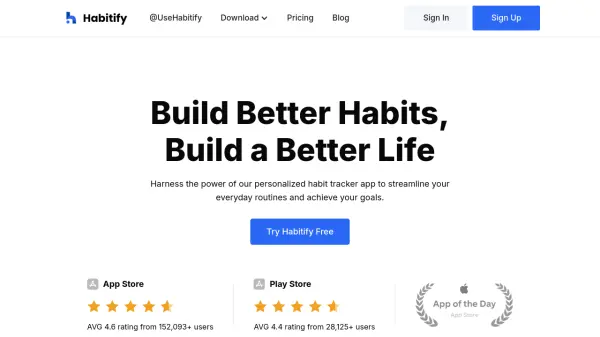
Habitify is an advanced habit tracker app designed to assist individuals in cultivating positive routines, boosting productivity, and achieving wellness goals. With a user-centric interface, it organizes daily schedules and empowers users to track their habits easily across multiple devices. The application is enhanced by insightful analytics, mood tracking, and progress metrics, which motivate users through personalized feedback and data-driven guidance.
Among its features are challenges for social motivation, built-in timers and notes for reflection, and seamless integrations with Apple Health, Google Fit, and popular automation platforms. Habitify prioritizes privacy, ensures flexibility with cross-platform syncing, and supports deep personalization for an effective habit-building journey, making it a comprehensive solution for anyone aiming to improve their lifestyle.
Features
- Personalized Habit Tracking: Organize, execute, and monitor daily habits tailored to user goals.
- Cross-Platform Sync: Synchronize data seamlessly across devices including iOS, Android, and web.
- Insightful Progress Metrics: Receive data-based insights to track achievements and milestones.
- Challenges & Social Motivation: Participate in challenges and leaderboards to foster accountability.
- Built-in Timer & Notes: Enhance focus and reflection with integrated timers and note-taking.
- Mood Tracking: Monitor and analyze mood trends in relation to habit performance.
- Advanced Reminders: Utilize habit stacking and location-based reminders for effective habit formation.
- Calendar and Health Integration: Sync with Apple Health, Google Fit, and Apple Calendar for holistic planning.
- API & Automation: Integrate with Zapier and IFTTT for automated workflows.
- Privacy Lock: Secure user data with privacy features.
Use Cases
- Developing and reinforcing healthy daily routines
- Tracking fitness goals and wellness activities
- Boosting productivity with organized schedules
- Improving time management for busy professionals
- Enhancing mental health with mood and reflection logs
- Participating in community challenges for motivation
- Automating habit data with third-party app integrations
- Structuring routines for students and educators
FAQs
-
What platforms does Habitify support?
Habitify is available on iOS, Android, web, and also supports syncing across devices for seamless experience. -
Is there a free version of Habitify?
Yes, Habitify offers a free forever plan with limited features, including the ability to track up to three habits and cross-platform syncing. -
How does Habitify help users stay motivated?
Habitify provides progress metrics, social challenges, reminders, and milestone celebrations to help users maintain motivation and achieve their goals. -
Does Habitify integrate with health and calendar apps?
Yes, Habitify integrates with Apple Health, Google Fit, and Apple Calendar, allowing users to synchronize and manage habits alongside their wellness and planning data. -
What privacy protections does Habitify offer?
Habitify features a privacy lock, safeguarding personal data and ensuring user confidentiality.