What is Bill Organizer?
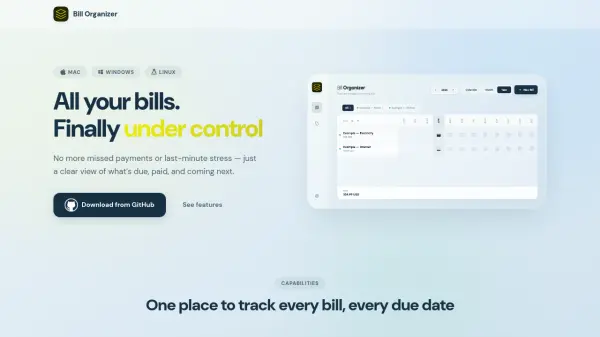
Bill Organizer is a desktop application that helps you manage all your recurring expenses in one place. You can add bills like rent, Netflix, electricity, or insurance, each with a name, due date, expected amount, payment link, and notes. The app supports flexible recurrencies, allowing bills to repeat on a fixed day of the month or every N days. A month and year view shows the status of each bill at a glance—paid, due today, or overdue. Rich payment logging lets you record every payment with the exact amount, date, currency, and a comment, building a full history that reveals cost changes over time. Bills can be grouped into color-coded categories for filtering and analysis.
The app stores data in a local SQLite database on your machine, with no third-party servers or subscriptions. You can place the data folder in any cloud storage like iCloud Drive or Dropbox to sync across devices automatically. Bill Organizer also supports importing data from the Monthly Bill Tracker Chrome extension. With 17 gradient color themes, adjustable corner radius, density, and font size, the interface is fully customizable. The app works offline and requires no sign-up.
Features
- Bill Management: Add any recurring expense with name, due date, amount, payment link, and notes.
- Flexible Recurrencies: Choose a fixed day of month or set interval in days.
- Month & Year View: Calendar showing bill status (paid, due, overdue) at a glance.
- Rich Payment Logging: Record exact amount, date, currency, and comment for each payment.
- Categories: Group bills into color-coded categories and filter by them.
- Local DB & Cloud Sync: Data stored in local SQLite; sync via any cloud storage.
- Import from Light Version: Migrate data from Monthly Bill Tracker Chrome extension.
- Themes & Appearance: 17 gradient themes, corner radius, density, and font scaling.
Use Cases
- Track monthly subscriptions like Netflix, Spotify, and internet.
- Manage recurring utility bills such as electricity and water.
- Keep organized records of insurance and rent payments.
- Monitor price increases over time with payment history.
- Sync bill data across multiple devices via cloud storage.
FAQs
-
Is Bill Organizer free?
Yes, Bill Organizer is completely free with no subscriptions or sign-up required. You can download it from GitHub. -
Does Bill Organizer work offline?
Yes, Bill Organizer works offline. All data is stored locally on your device in an SQLite database. -
Can I sync my bills across multiple devices?
Yes, you can sync by placing the app's data folder in a cloud storage service like iCloud Drive, Dropbox, Google Drive, or OneDrive. -
What platforms does Bill Organizer support?
Bill Organizer is available for Mac, Windows, and Linux.