What is Bhoomi Online?
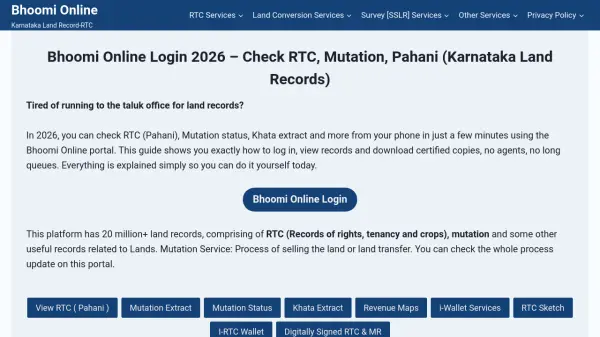
Bhoomi Online is a digital platform launched by the Karnataka state government to provide transparent and accurate access to land records. The portal hosts over 20 million property records, including RTC (Records of Rights, Tenancy, and Crops), mutation reports, khata extracts, and survey documents. Users can log in to view, download, and manage their land records, eliminating the need for physical visits to taluk offices.
The platform offers various services such as viewing RTC and MR, checking mutation status, downloading khata extracts, and accessing revenue maps. It also features an i-RTC Wallet for secure online payments related to land transactions. Designed to improve efficiency and reduce discrepancies, Bhoomi Online ensures real-time updates and digitally signed documents for legal validity.
Features
- RTC Viewing: Access current and previous years' RTC (Pahani) records online
- Mutation Status Check: Verify ownership transfer status and updates
- Khata Extract Download: Obtain property ownership documents for transactions
- i-RTC Wallet: Make secure online payments for land record services
- Survey Document Access: View and request SSLR survey documents digitally
Use Cases
- Checking land ownership and crop details for property verification
- Downloading certified RTC copies for bank loans or property sales
- Monitoring mutation status during land transfer processes
- Accessing khata extracts for property tax assessments
- Viewing revenue maps and survey documents for land planning
FAQs
-
How do I check mutation status on Bhoomi?
To check mutation status, go to the Bhoomi online portal, click on 'View Mutation Status', select your district, taluk, and input survey details to see current status updates. -
What is Mojini V3 in Karnataka land records?
Mojini V3 is the latest version of Karnataka's online land survey and mapping system. It allows you to request and track survey applications and view land measurement data digitally. -
How to download certified RTC from Bhoomi portal?
Use i-RTC wallet, search for RTC, pay ₹15, and download a digitally signed certified copy valid for banks and loans. -
What to do if Bhoomi portal login OTP not received?
Check mobile network, ensure the number is registered, wait 5 minutes, and try resend OTP or use Aadhaar login option. -
How to add money to i-RTC wallet Karnataka?
Login, go to i-RTC Wallet, click 'Add Funds', and use UPI, card, or net banking to add money instantly.