AyeHigh favicon

AyeHigh
Comprehensive GenAI Solutions for Everyone

What is AyeHigh?

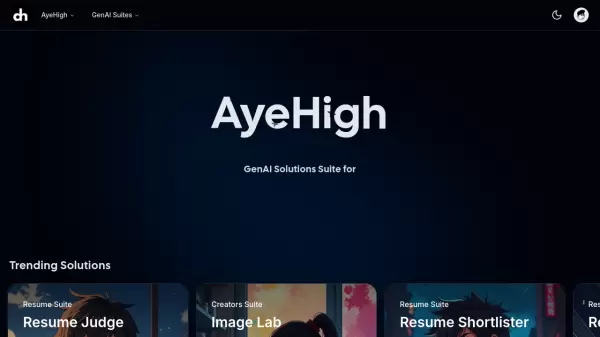
AyeHigh delivers a comprehensive suite of generative AI solutions designed to cater to various user needs across different professional levels. The platform operates on a credit-based system, allowing users to access multiple AI tools and services through a single subscription.

The service stands out with its scalable pricing structure that accommodates everyone from individual users to large organizations, offering access to current and upcoming AI solutions with dedicated email support.

Features

  • Credit System: Flexible usage across all AI solutions
  • Universal Access: Complete access to all GenAI suites
  • Future-Ready: Access to all upcoming AI solutions
  • Support System: Dedicated email support

Use Cases

  • Individual AI exploration
  • Student projects and research
  • Professional work automation
  • Business-scale AI implementation
  • Organization-wide AI solutions

FAQs

  • How do credits work in AyeHigh?
    Credits are used as currency within the platform to access various AI solutions. Different plans offer different credit amounts: Basic (100 credits), Saver (500 credits), and Super Saver (2500 credits).
  • What is the difference between the pricing plans?
    The Basic plan ($5) offers 100 credits, Saver plan ($10) provides 500 credits with 60% savings, and Super Saver plan ($40) includes 2500 credits with 68% savings compared to the Basic plan.
  • Do credits expire?
    The platform doesn't specify credit expiration; it's recommended to contact support for detailed information about credit validity.


Related Queries

Helpful for people in the following professions

Blogs:

  • Top 6 AI note-taking tools for 2026: in-person, online, and hybrid use cases

    Top 6 AI note-taking tools for 2026: in-person, online, and hybrid use cases

    Most AI note-taking lists are really lists of meeting bots, which join your video call and transcribe it. That's useful, but it's half the picture. Decisions happen in hallway conversations, client dinners, on-site visits, and hybrid rooms where nobody is on a video link. This guide covers different parts of the note-taking workflow: hardware capture for in-person settings, platform-native tools for online calls, and AI layers for organizing and synthesizing what you've captured. It compares six tools by capture context, workflow fit, pricing, and limitations.

  • Top AI tools for Teachers

    Top AI tools for Teachers

    Explore the top AI tools designed for teachers, revolutionizing the education landscape. These innovative tools leverage artificial intelligence to enhance teaching efficiency, personalize learning experiences, automate administrative tasks, and provide valuable insights, empowering educators to create engaging and effective educational environments.

  • AI thumbnail maker tools

    AI thumbnail maker tools

    Automatically generate visually appealing and optimized thumbnails for various digital content, streamlining the design process and enhancing visual engagement

Didn't find tool you were looking for?

Be as detailed as possible for better results