
What is AxNote?
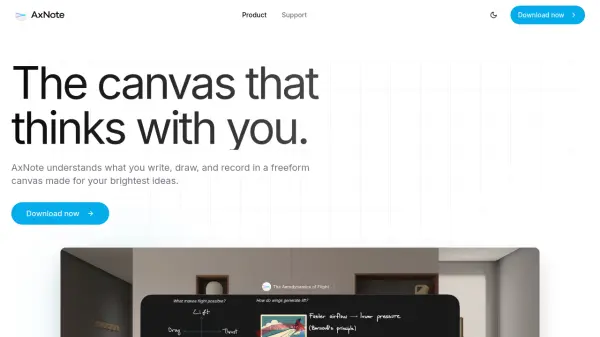
AxNote provides a freeform canvas where users can write, draw, and record audio, with AI capabilities that process content directly on the device. It uses Apple Intelligence models to generate audio summaries, detect topics in recordings, and create summary cards from notes, all while ensuring privacy through local processing. The app supports multiple languages for transcription and translation, includes a built-in document scanner, and allows image generation for notes.
Users can collaborate via iCloud, store documents in various cloud services or locally, and work offline with syncing when online. It features accessible design options, dynamic charts that update with data changes, and export capabilities for flashcards and datasets. AxNote+ offers a one-time purchase model with unlimited access and optional Family Sharing, eliminating subscription fees.
Features
- Audio Summaries: Surface key points in audio recordings for quick overviews
- Topic Detection: Break lengthy recordings into navigable sections
- Magic Summary: Generate summary cards from notes for reviews and study sessions
- Dynamic Charts: Add tables and charts that update as data changes, with 3D display options
- Multi-Language Support: Transcribe and translate audio from nine languages
- Document Scanner: Built-in scanner for capturing physical documents
- Image Generation: Use Image Playground to create images for notes
- Offline Functionality: Work without internet; transcription and summaries generated on-device
- Cloud Collaboration: iCloud collaboration for team alignment
- Flexible Storage: Store documents in iCloud, Google Drive, OneDrive, or locally
Use Cases
- Studying and reviewing notes with generated flashcards
- Summarizing lengthy audio recordings for quick insights
- Organizing and navigating audio content by topics
- Creating dynamic charts and tables for data visualization
- Collaborating on notes with teams via iCloud
- Scanning and digitizing physical documents
- Generating images to enhance note-taking
- Working offline on notes and syncing later
- Translating and transcribing audio in multiple languages
- Accessing notes across devices with cloud storage
FAQs
-
What devices is AxNote compatible with?
AxNote 3 is compatible with iPhone (iOS 26), iPad (iPadOS 26), Mac (macOS Tahoe 26), and Apple Vision (visionOS 26). -
Does AxNote require an internet connection for AI features?
No, AxNote works offline; transcription and summaries are generated directly on the device after setup, so no internet connection is needed for these features. -
What languages does AxNote support for transcription and translation?
AxNote can transcribe and translate audio from nine languages, and Magic Summary works with many languages other than English. -
How does AxNote ensure privacy for notes and AI processing?
AxNote gives users full control over note storage, and its AI uses Apple Intelligence models that run directly on the device, not used for AI training, ensuring notes remain private. -
What is the pricing model for AxNote?
AxNote+ is a one-time purchase that provides unlimited access to all features with optional Family Sharing, eliminating subscription fees.