

What is AVATAVI?
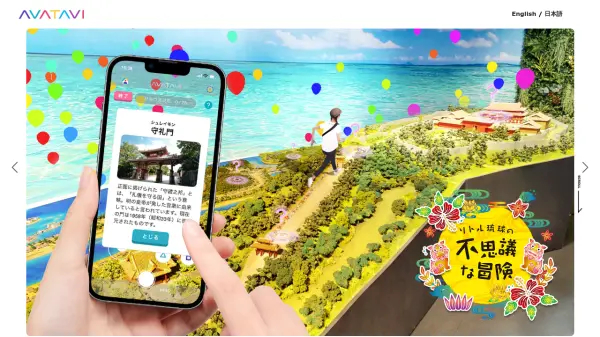
AVATAVI is an augmented reality (AR) application designed to enhance everyday experiences by integrating 3D avatars into the real world. Users can import their favorite 3D characters or even models of themselves to explore their surroundings from a unique perspective, simulating being a small character in a large world or simply walking alongside their avatar in real locations.
The application supports various methods for adding avatars, including direct import from the device, via URL, QR code, or integration with external services like Sketchfab and VRoid Hub. It accepts multiple 3D file formats (fbx, vrm, gltf, glb, zip). Users can also acquire different motions for their avatars through an in-app motion shop, adding another layer of interaction and personalization to the AR experience.
Features
- AR Integration: Place and interact with 3D avatars in real-world environments using AR.
- Multiple Avatar Import Options: Add avatars via QR code, URL, device storage, or external services (Sketchfab, VRoid Hub).
- Broad File Format Support: Compatible with fbx, vrm, gltf, glb, and zip files.
- Motion Shop: Acquire and apply various animations and movements to avatars.
- Default Motions: Includes 7 default motions to start with.
Use Cases
- Experience the world from a miniaturized perspective using an avatar.
- Take virtual walks with favorite 3D characters in real locations.
- Create unique AR photos and videos featuring 3D avatars.
- Visualize 3D models in a real-world context.