
What is Animaze?
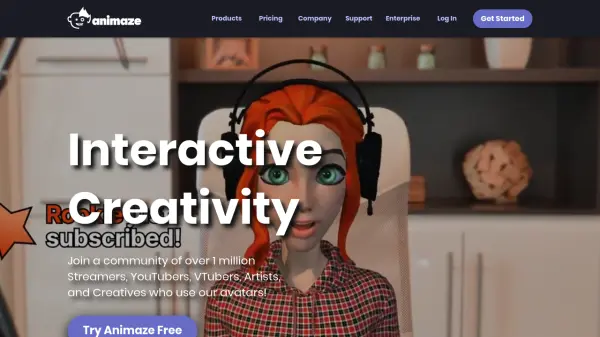
Animaze offers a dynamic solution for streamers, YouTubers, VTubers, and artists to enhance their digital presence utilizing AAA-quality avatars. Designed for versatility, Animaze features an extensive library of creative avatars, advanced animations, and unlimited customization options, enabling users to produce engaging, interactive entertainment across a wide range of online platforms.
The platform seamlessly integrates with webcams, iPhones, and popular streaming software such as OBS, SLOBS, Discord, and Zoom. Users can import their own Live2D, VRM, Ready Player Me, and Union Avatars models, while also benefiting from compatibility with advanced mocap hardware and lip tracking technologies. Animaze’s editor and comprehensive documentation facilitate quick setup and customization, giving creators complete control over their virtual identity and audience engagement.
Features
- AAA-Quality Avatars: Access a library of high-definition, imaginative avatars.
- Webcam and Device Compatibility: Works with webcams, iPhones, and popular streaming hardware.
- Streaming Platform Integration: Compatible with OBS, SLOBS, Discord, Zoom, Google Meetings, and more.
- Unlimited Avatar Customization: Customize avatars with props, backgrounds, and emotes.
- Avatar Import: Import Live2D, VRM, Ready Player Me, and Union Avatars models.
- Advanced Mocap Support: Supports Leap Motion, audio-based lip tracking, and Tobii Eye Trackers.
- Animaze Editor: Edit and manage 2D/3D avatars, props, and backgrounds.
- Extensive Documentation: Comprehensive guides for setup and model import.
Use Cases
- Livestreaming on Twitch, YouTube, or Facebook Gaming with animated avatars
- Creating VTuber content with personalized characters
- Virtual meetings or video calls featuring avatar representation
- Producing video content for TikTok, Instagram, and other social platforms
- Customizing and sharing unique avatars for community engagement
FAQs
-
Can I use my own 2D or 3D avatar models with Animaze?
Yes, Animaze allows importing of Live2D, VRM, Ready Player Me, and Union Avatars models using provided guides and the Animaze Editor. -
Is Animaze compatible with popular streaming and video conferencing platforms?
Animaze integrates seamlessly with OBS, SLOBS, Discord, Zoom, Google Meetings, and is suitable for streaming on Twitch, YouTube, and Facebook Gaming. -
What hardware or devices can I use with Animaze?
Animaze works with standard webcams, iPhones, and supports additional hardware such as Leap Motion controllers, audio-based lip trackers, and Tobii Eye Trackers. -
Does Animaze offer resources or documentation for new users?
Yes, Animaze provides comprehensive documentation, guides, and a support section to assist with setup and model integration.