What is Autocalls.ai?
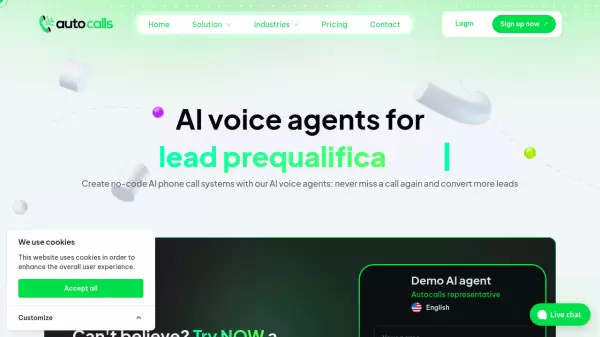
Autocalls.ai is an advanced AI voice automation platform that transforms how businesses handle phone communications. The platform enables organizations to create customizable AI voice agents that can manage both inbound and outbound calls across 40+ languages with multiple accent options. The system supports parallel call handling and integrates seamlessly with popular business tools like HubSpot, GoHighLevel, and Zoho.
The platform offers comprehensive features including live calendar integration, real-time system interactions, and detailed analytics. With its no-code interface, businesses can deploy AI voice agents for customer support, appointment scheduling, lead qualification, and sales operations, operating 24/7 with zero waiting time and queue management.
Features
- Multi-language Support: 40+ languages with multiple accents and voice options
- Parallel Call Handling: Capability to handle 50+ simultaneous calls
- No-code Platform: Easy integration with 250+ business tools
- Live Calendar Integration: Compatible with GoHighLevel, Calendly, and other scheduling tools
- Voice Cloning: Option to clone custom voices for AI agents
- Real-time Analytics: Detailed call reports and transcriptions
- Human Transfer: Ability to forward calls to human agents when needed
- Security Compliance: GDPR and AI EU Act compliant with advanced encryption
Use Cases
- 24/7 Customer Support
- Appointment Scheduling and Reminders
- Lead Qualification and Sales
- Cold Calling Campaigns
- Survey and Feedback Collection
- Complaint Management
- Order Tracking
- Appointment Confirmations
FAQs
-
How does the AI load with my company information?
The AI can be trained using any company documents including website content, internal process documentation (PDF, Word), and additional details provided to experts to ensure correct business-specific responses. -
Can I set up automations with your service?
Yes, you can create automations and workflows using the no-code platform similar to Zapier and Make, setting up triggers and actions for natural conversation experiences. -
How do I get a phone number from you?
International phone numbers from over 150 countries are available within the platform, and you can also integrate existing phone numbers using SIP from the dashboard. -
Is expertise required for quality prompts?
No expertise is needed as templates are provided to help get started, and the AI agents are designed to be flexible with various types of prompts.